
Shopify Agentic Storefronts: Where to Find It (2026)
Shopify agentic storefronts put your products inside AI chats like ChatGPT and Copilot. Find it under Sales channels, Agentic, and see each part of the page.
By AjayCodeWiz · November 28, 2026 · 7 min read
Shopify agentic storefronts: where to find them in your admin
Shopify agentic storefronts put your products inside AI chats such as ChatGPT and Microsoft Copilot. You manage them in the admin under Sales channels, then Agentic, and Shopify turns them on by default for eligible stores. There is no app to install. This post tours that page from top to bottom, the way the video does, so you can compare it with your own store.
Filmed on a development store (Basic plan, new admin) on 27 November 2026. That store is not eligible yet, so you will see what each part of the page says when a store looks like this. The steps follow the video, with a screenshot for each one.
Where is Agentic in the Shopify admin?
The video opens on the Agentic page, where a card lists the channels: ChatGPT, Meta AI and Muse, Microsoft Copilot, Shop and Other channels.
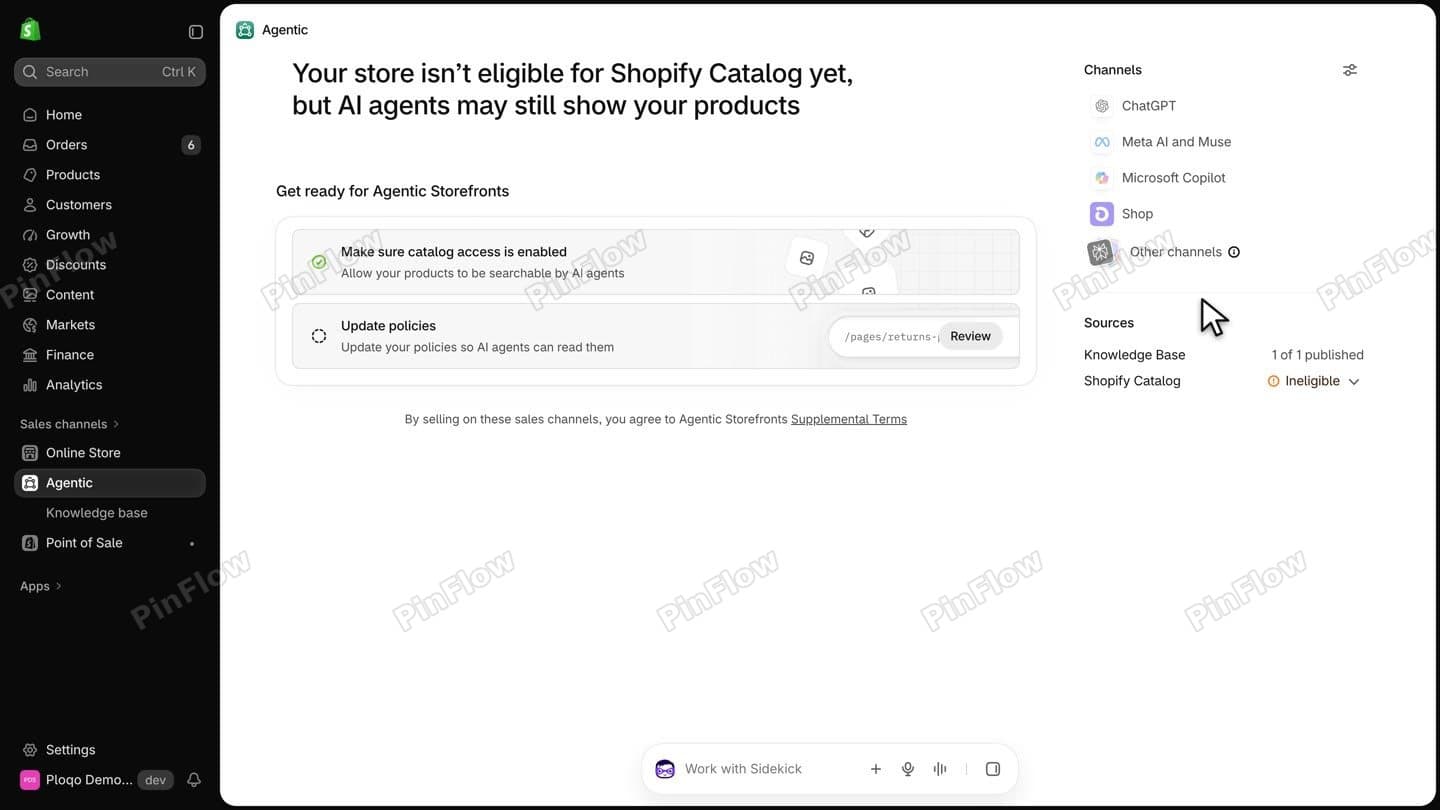 The Shopify Agentic page with the headline Your store isn't eligible for Shopify Catalog yet and the Channels card listing ChatGPT, Meta AI and Muse, Microsoft Copilot, Shop and Other channels
Open Agentic from the sidebar
From the admin home, look at the left sidebar under Sales channels. Click Agentic. It has one page under it, Knowledge base.
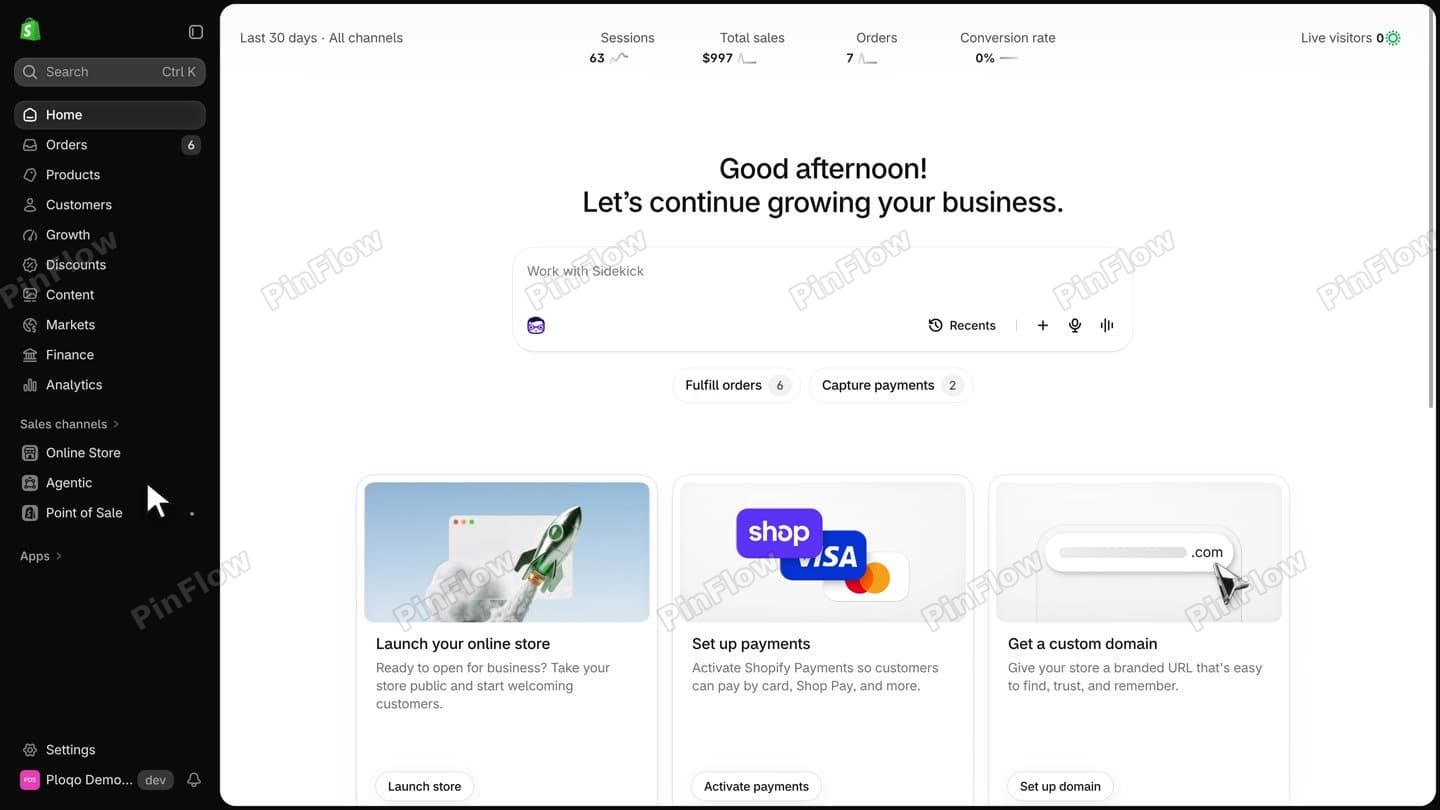 The Shopify admin home with the left sidebar open, Sales channels listing Online Store, Agentic and Point of Sale
Agentic is not listed under Settings, then Sales channels, even when it is active. The ChatGPT video shows that list: check if ChatGPT is selling your products.
If Agentic is missing from the sidebar
A missing item does not mean you are opted out. It may have been unpinned. On the Agentic page, open the three-dot menu at the top right. It shows Unpin from your navigation here, and Pin when the item is hidden. A staff account without the right permission will not see the page either, so ask the store owner.
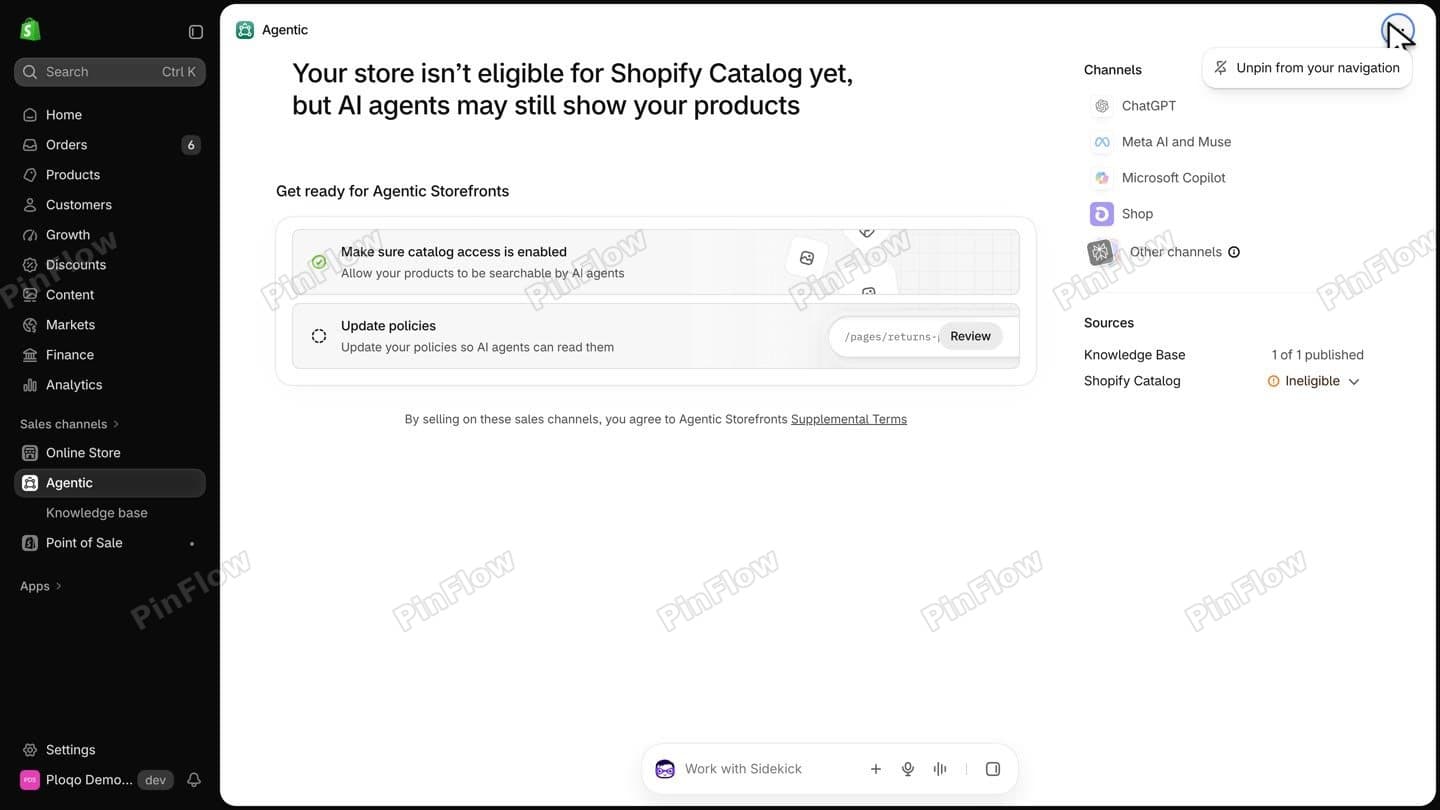 The Agentic page with the top-right menu open showing Unpin from your navigation
What the Agentic page says: on by default, three policies
The line at the top of the page gives the state of your store first. On this store it reads: "Your store isn't eligible for Shopify Catalog yet, but AI agents may still show your products." Shopify's help page says agentic storefronts are active by default for eligible stores, so you do not need to turn them on. It also says every AI channel needs three policies: Terms of service, Privacy policy, and Return and refund policy.
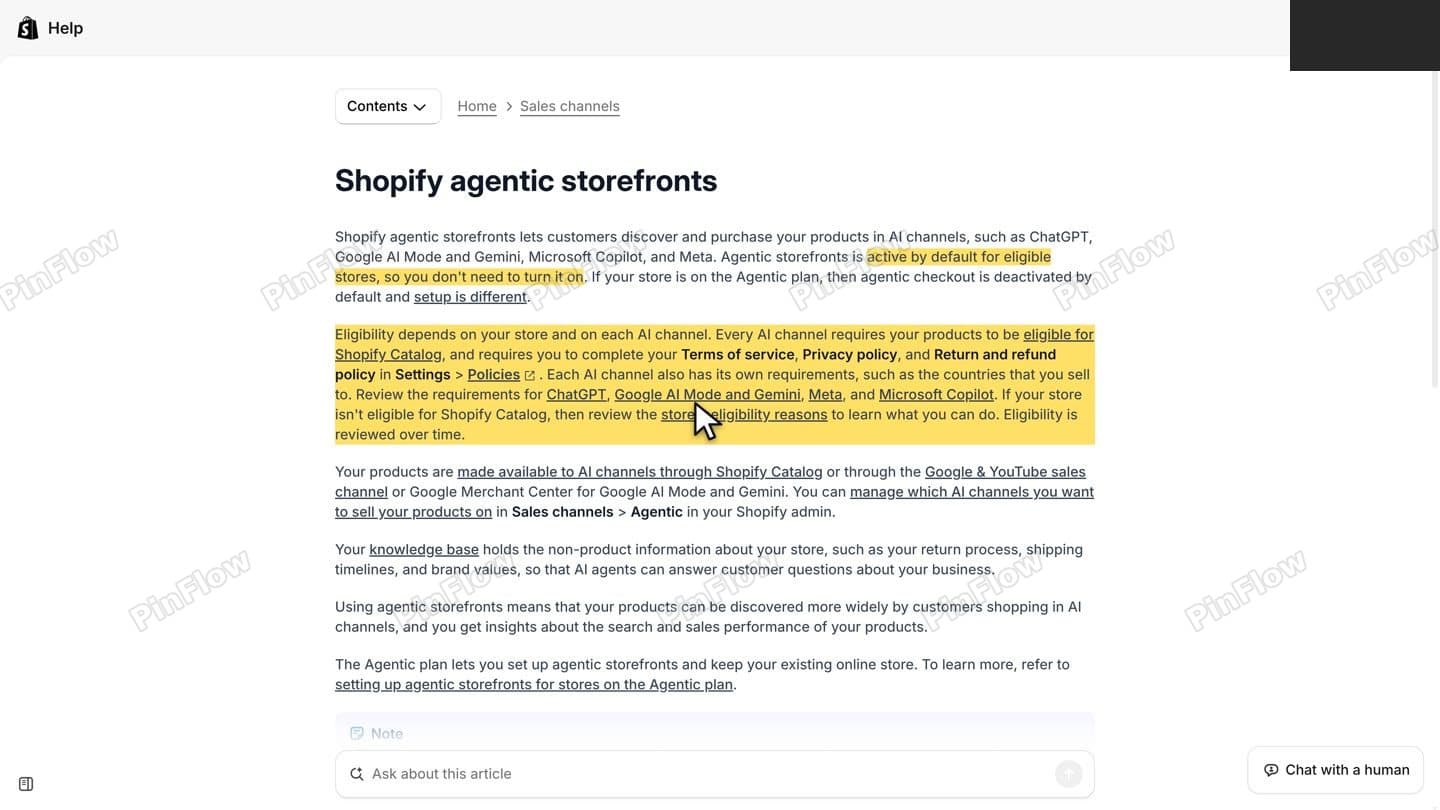 Shopify Help page on agentic storefronts with the sentences about being active by default and the three required policies highlighted
The Get ready card
Back on the Agentic page, the Get ready card has two rows. The first, Make sure catalog access is enabled, says Completed.
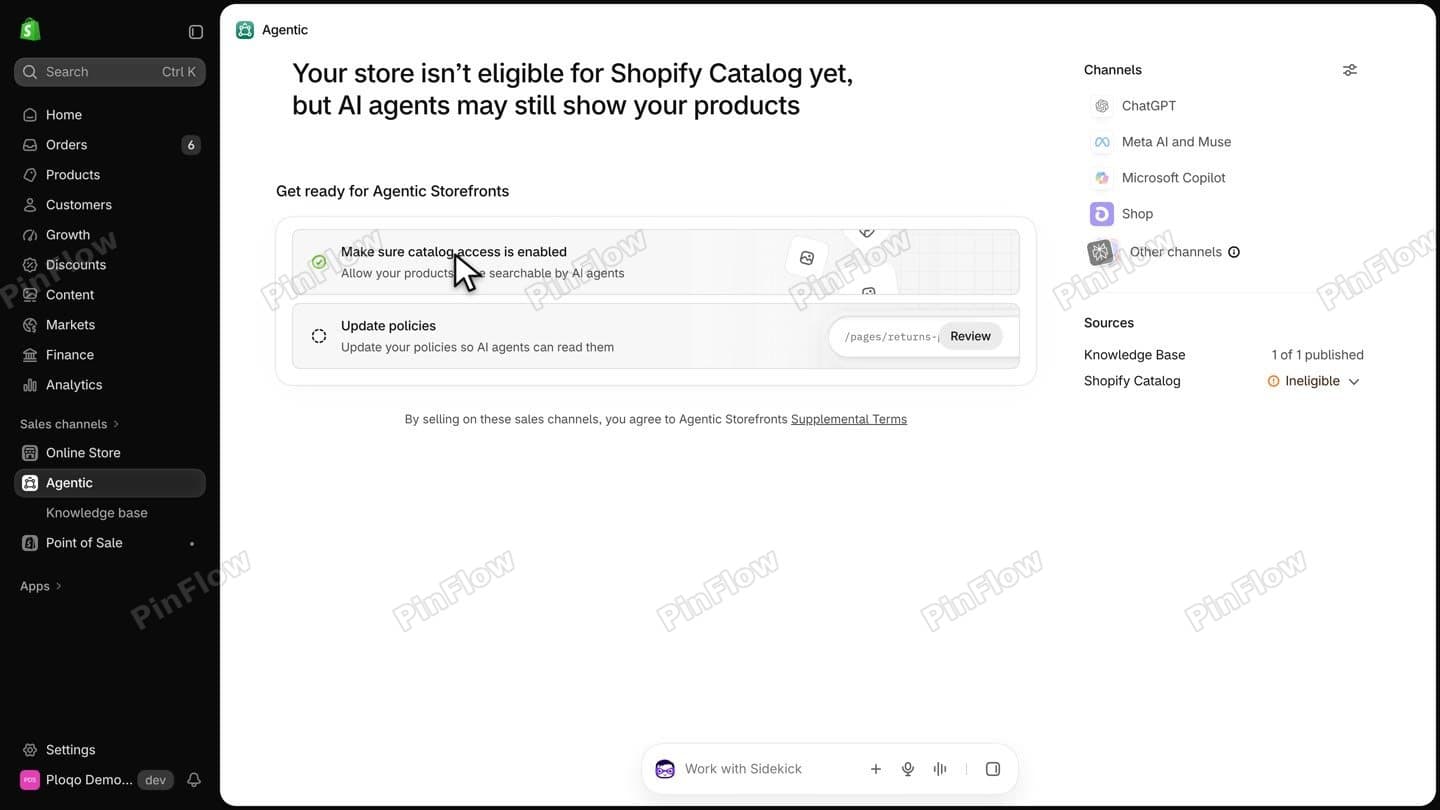 The Get ready for Agentic Storefronts card with Make sure catalog access is enabled marked Completed
The second, Update policies, says Not started, and it has a Review button.
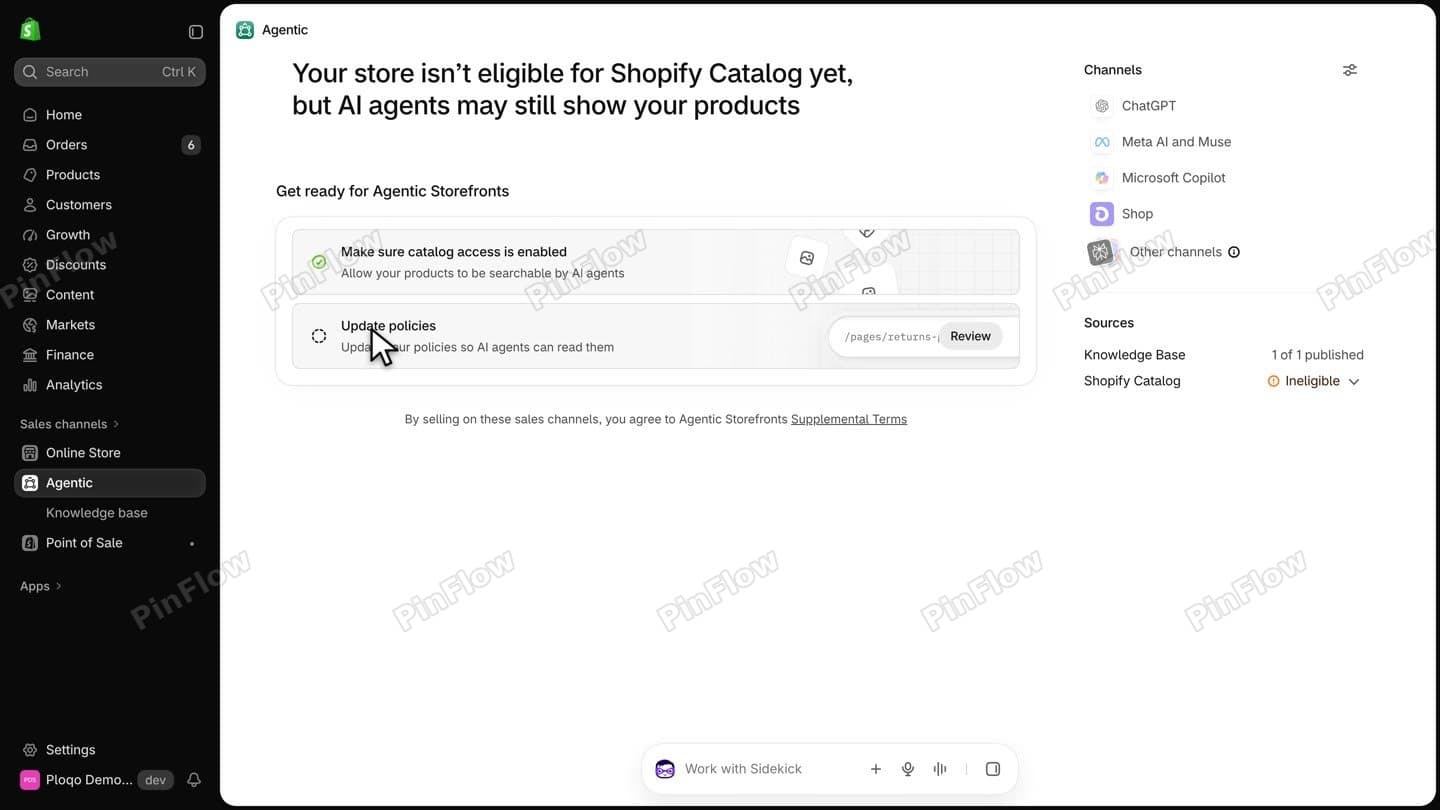 The Get ready card with Update policies marked Not started and a Review button
The supplemental terms
At the bottom of the page, a line says that by selling on these sales channels you agree to the Agentic Storefronts Supplemental Terms. Shopify's help page links the same terms.
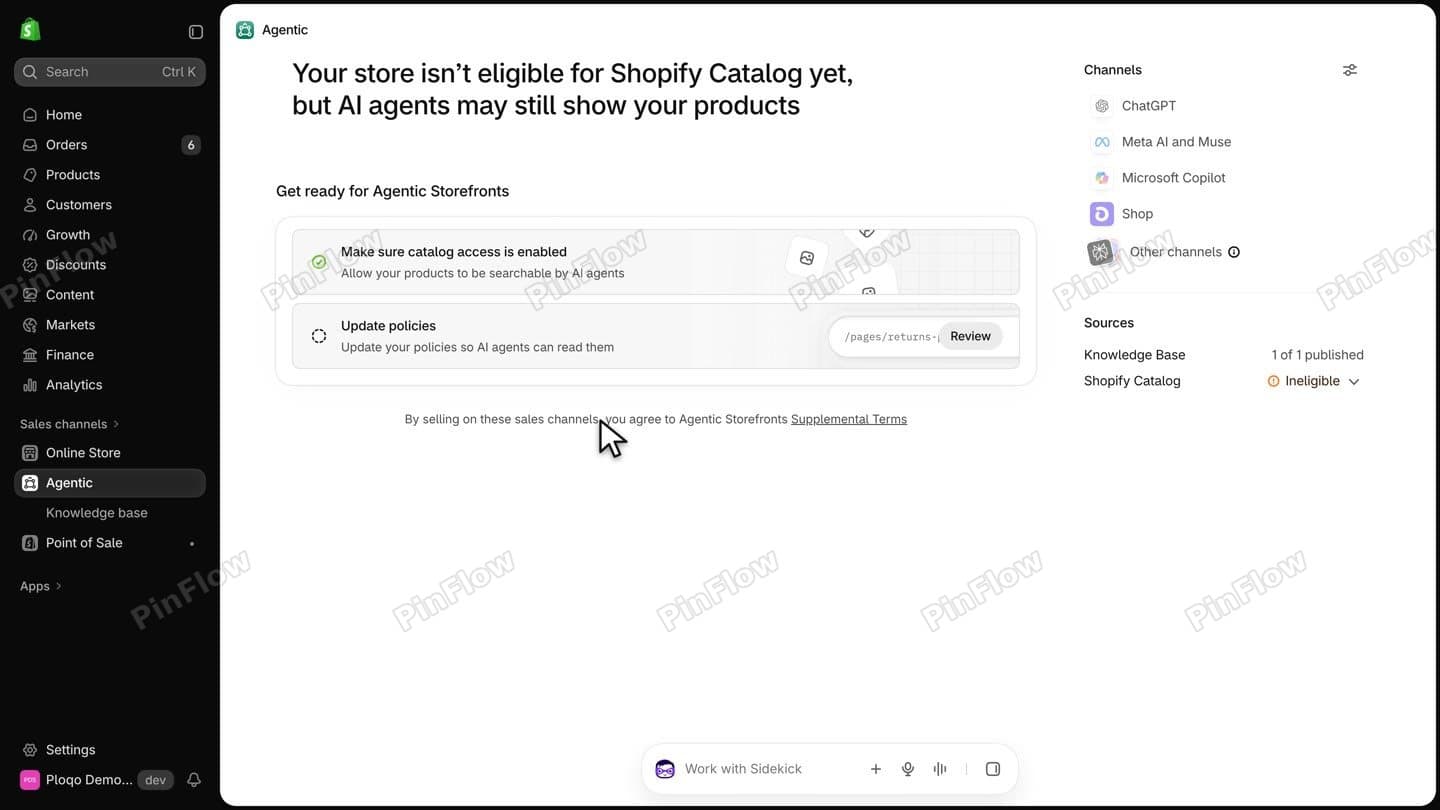 The footer line of the Agentic page with the Supplemental Terms link under the Get ready card
How agentic storefronts work: the five channels
The Channels card is the heart of the page. Click a channel name and a card opens with its status and a message. On this store every channel says Inactive.
ChatGPT
The ChatGPT card says Inactive, with Sessions, Sales and Orders all at zero. The card has its own post: Shopify ChatGPT: is it selling your products?
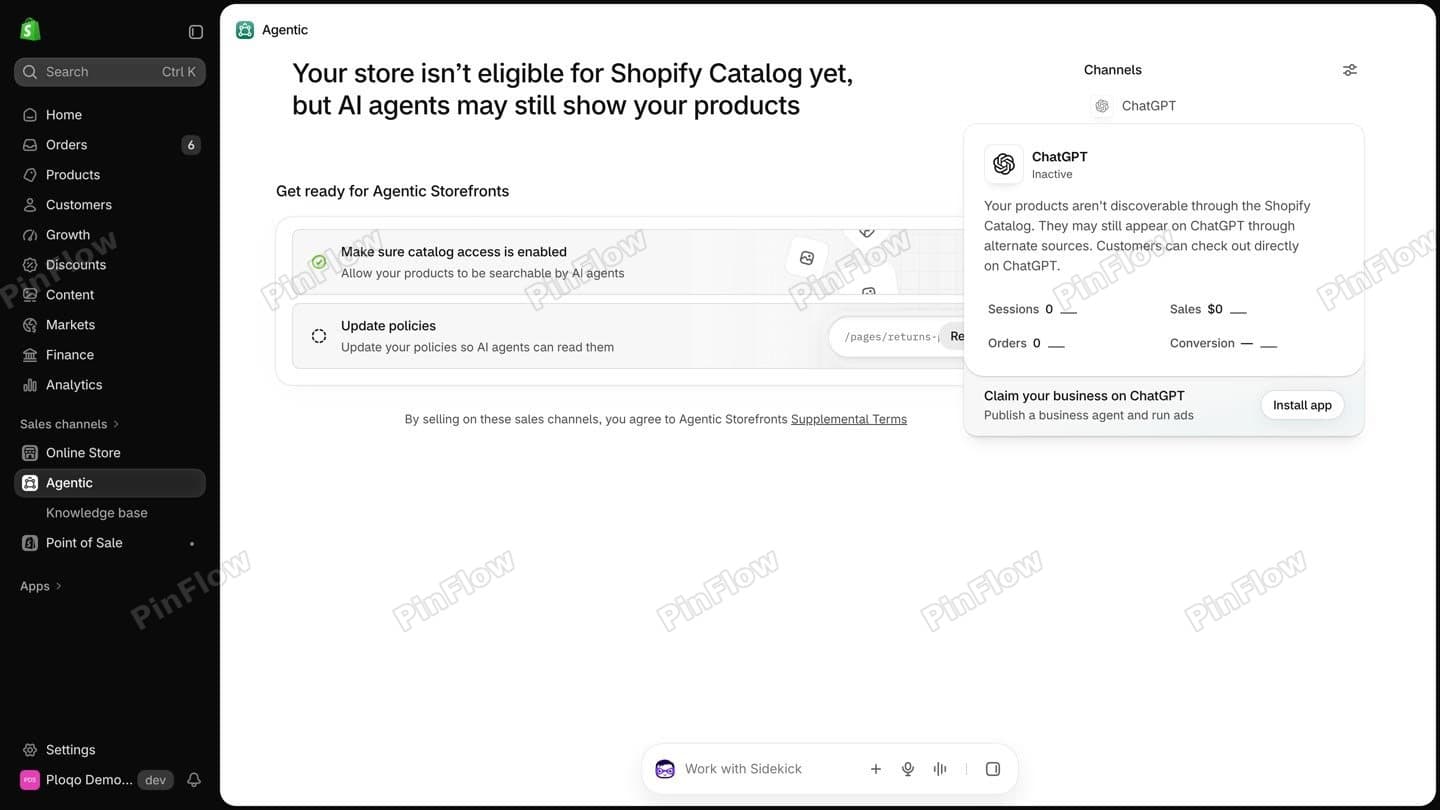 The ChatGPT card on the Agentic page with the status Inactive and Sessions 0, Sales $0, Orders 0
Meta AI and Muse
Meta AI and Muse says Inactive and asks for the missing required policies: refund and terms of service. An Edit policies button sits in the yellow notice.
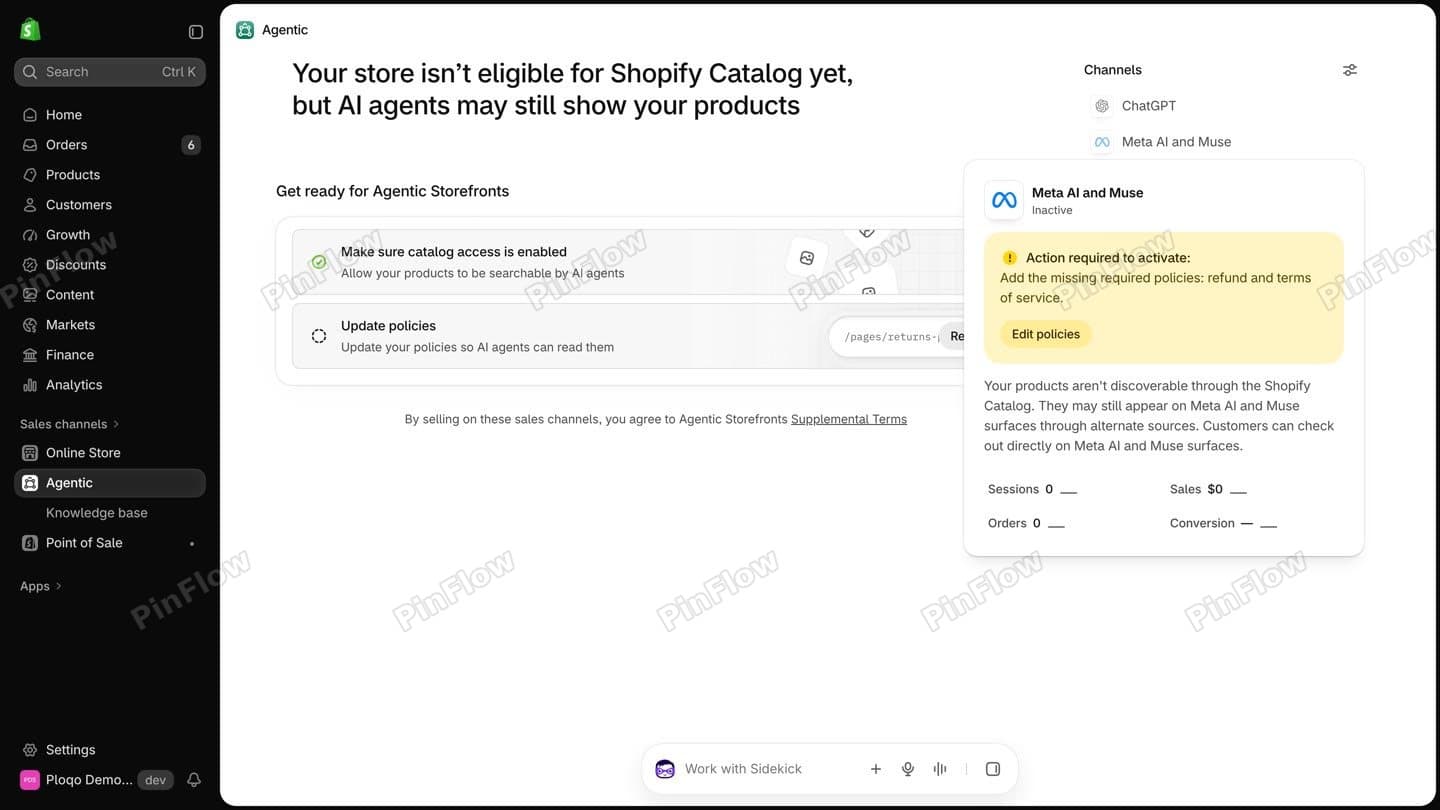 The Meta AI and Muse card showing Inactive and an Action required notice to add the refund policy and terms of service
Microsoft Copilot
Microsoft Copilot asks for one policy, the refund policy.
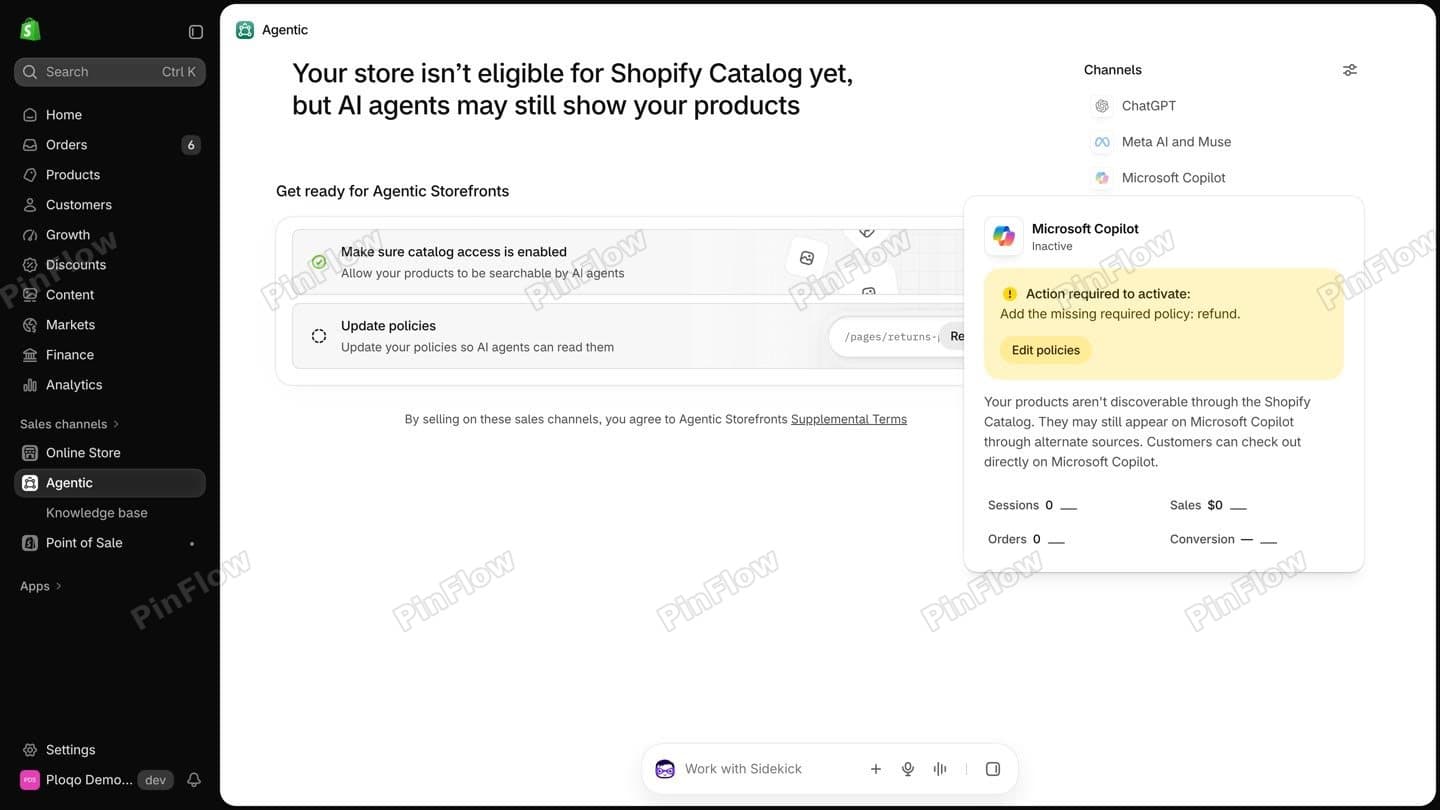 The Microsoft Copilot card showing Inactive and an Action required notice to add the refund policy
Shop and Other channels
Shop is Shopify's own app. Its card says to manage settings in the Shop app, and it has an Open app button.
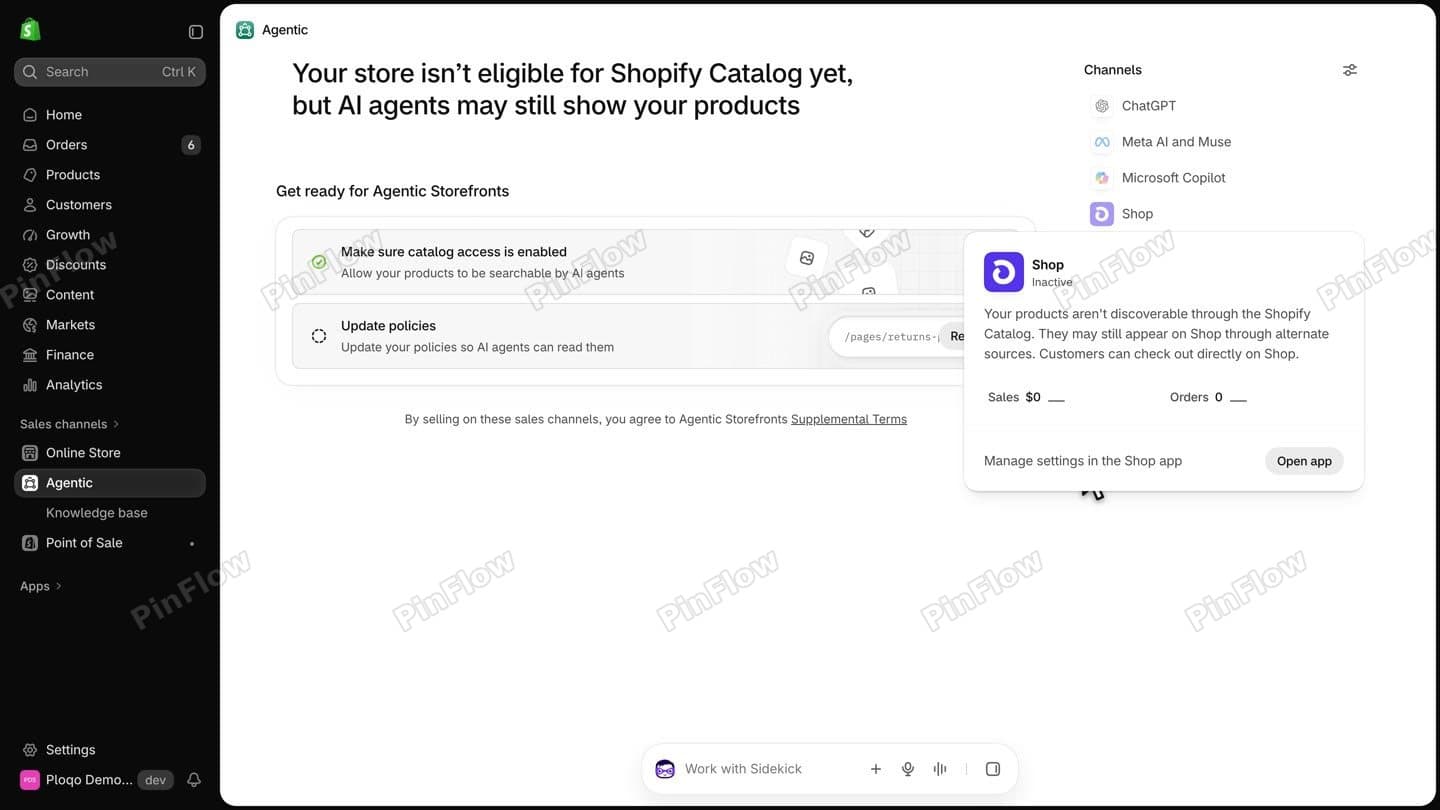 The Shop card with the text Manage settings in the Shop app and an Open app button
Other channels covers the rest that use the Shopify Catalog. On this store the products are not discoverable on any of them.
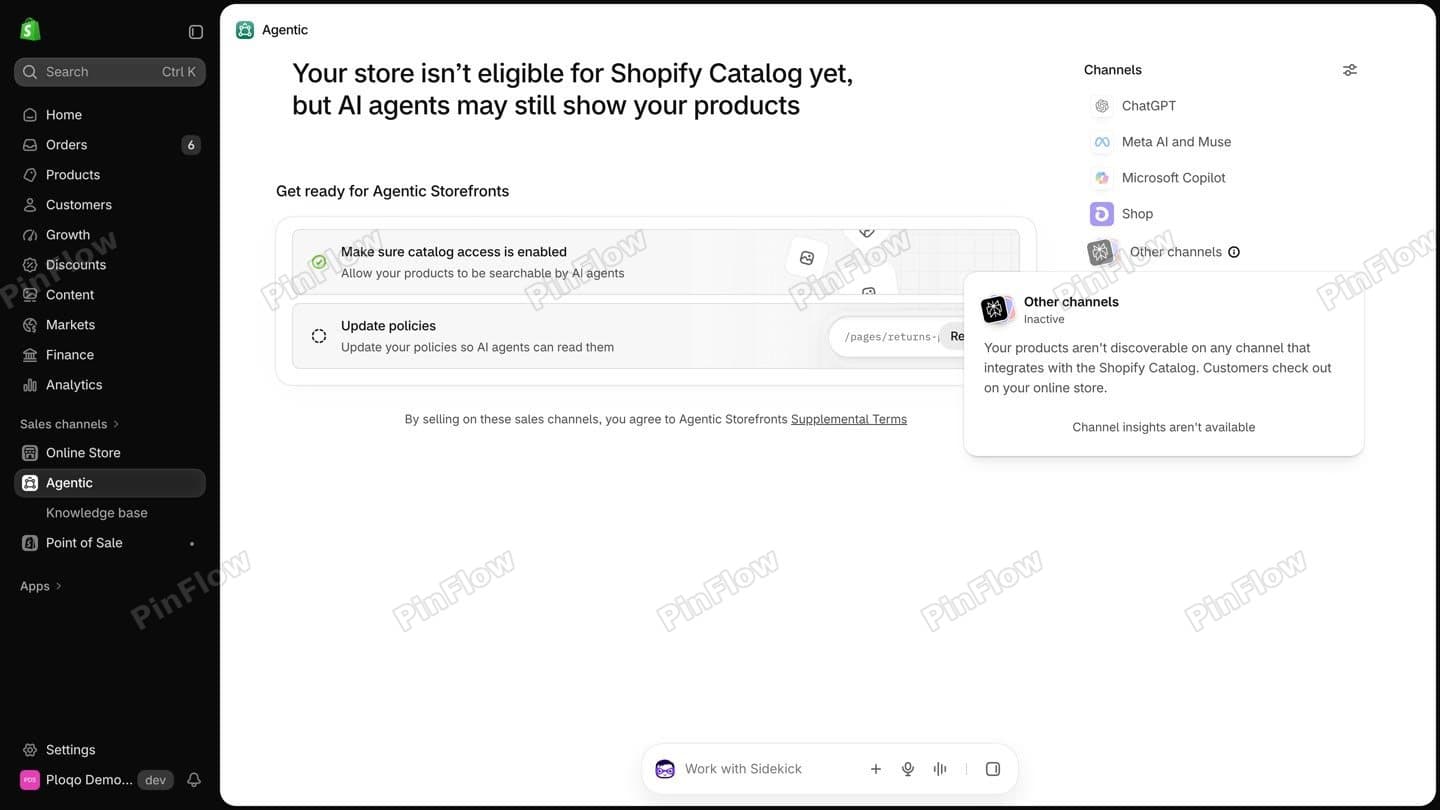 The Other channels card saying products are not discoverable on any channel that integrates with the Shopify Catalog
Manage for me
The sliders icon beside Channels opens one setting for every channel. Manage for me is picked, which is the default: Shopify Catalog and agentic checkout are on for supported channels, and new channels are added automatically. If your store is eligible, Manual lets you set each channel one by one. Since 23 November 2026, what used to be called direct checkout is called agentic checkout.
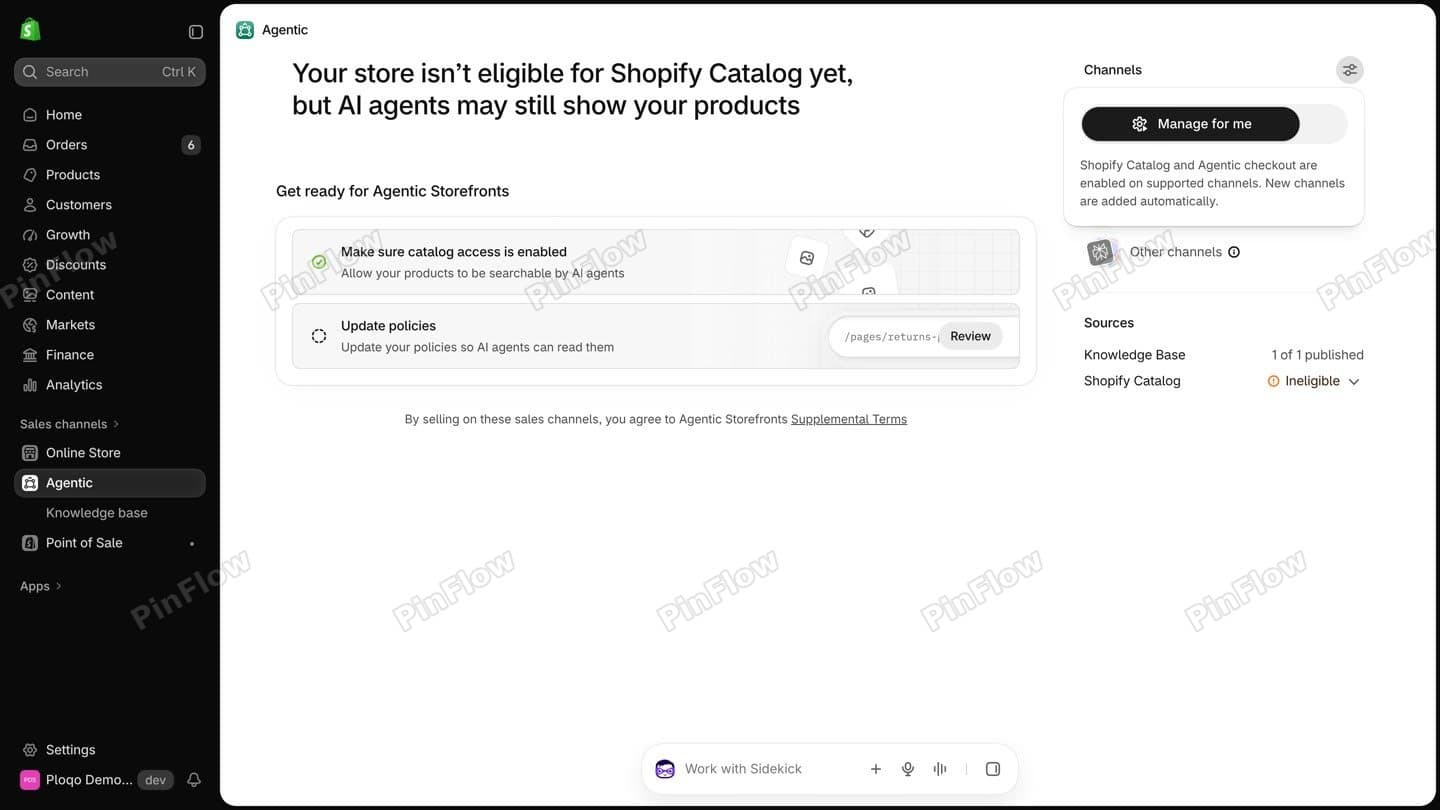 The Channels settings panel with Manage for me selected and its text about Shopify Catalog and agentic checkout
Knowledge base and Shopify Catalog on the Agentic page
On the right, Sources has two parts. Knowledge Base shows 1 of 1 published, and Shopify Catalog shows Ineligible.
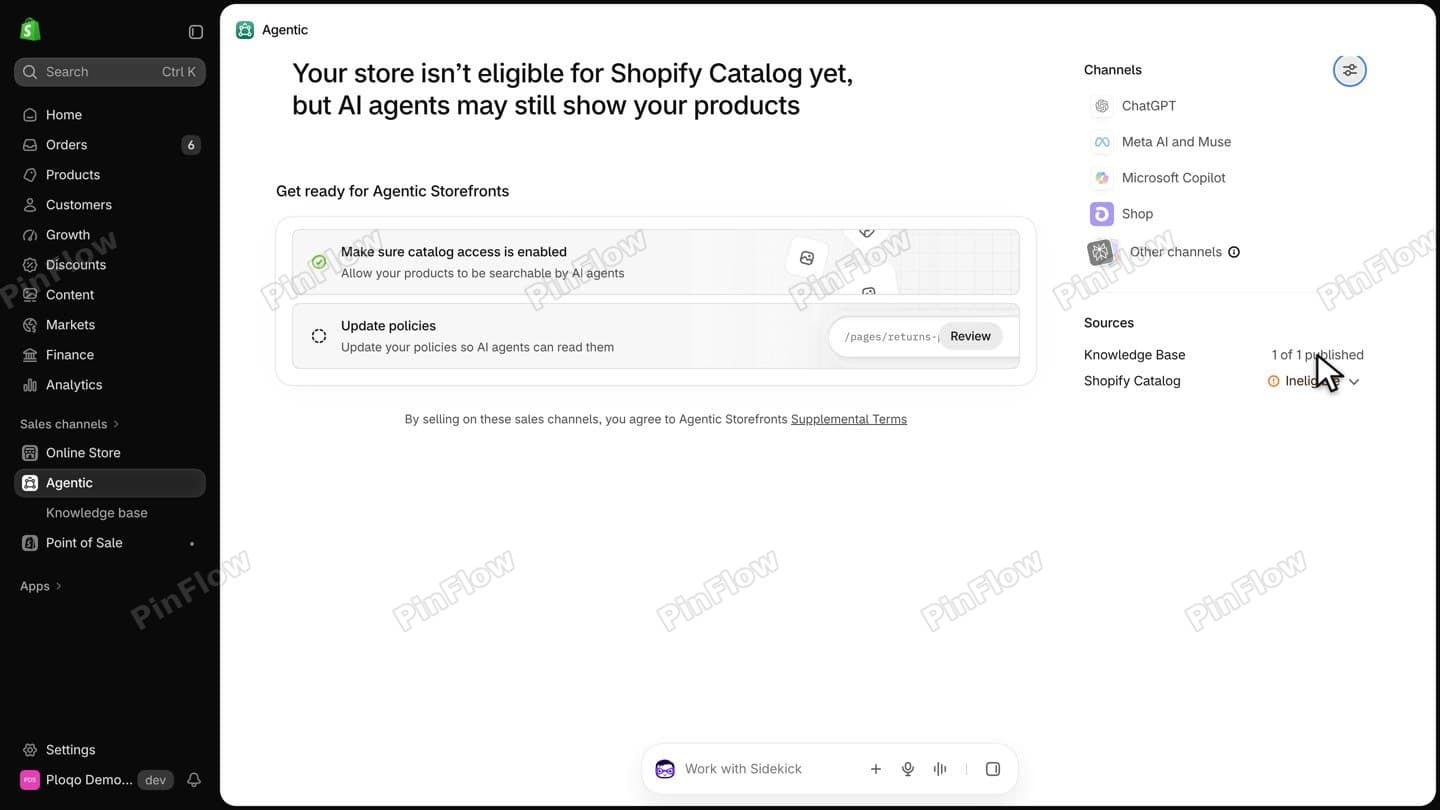 The Sources section with Knowledge Base showing 1 of 1 published and Shopify Catalog showing Ineligible
Knowledge base
Open Knowledge base from the sidebar. Facts sit in sections, such as About, Brands and products, and Shipping. On the right, the terms of service, shipping and return policies say Missing, and a note says the store is password protected. Shopify moved the Knowledge base into the admin on 26 October 2026.
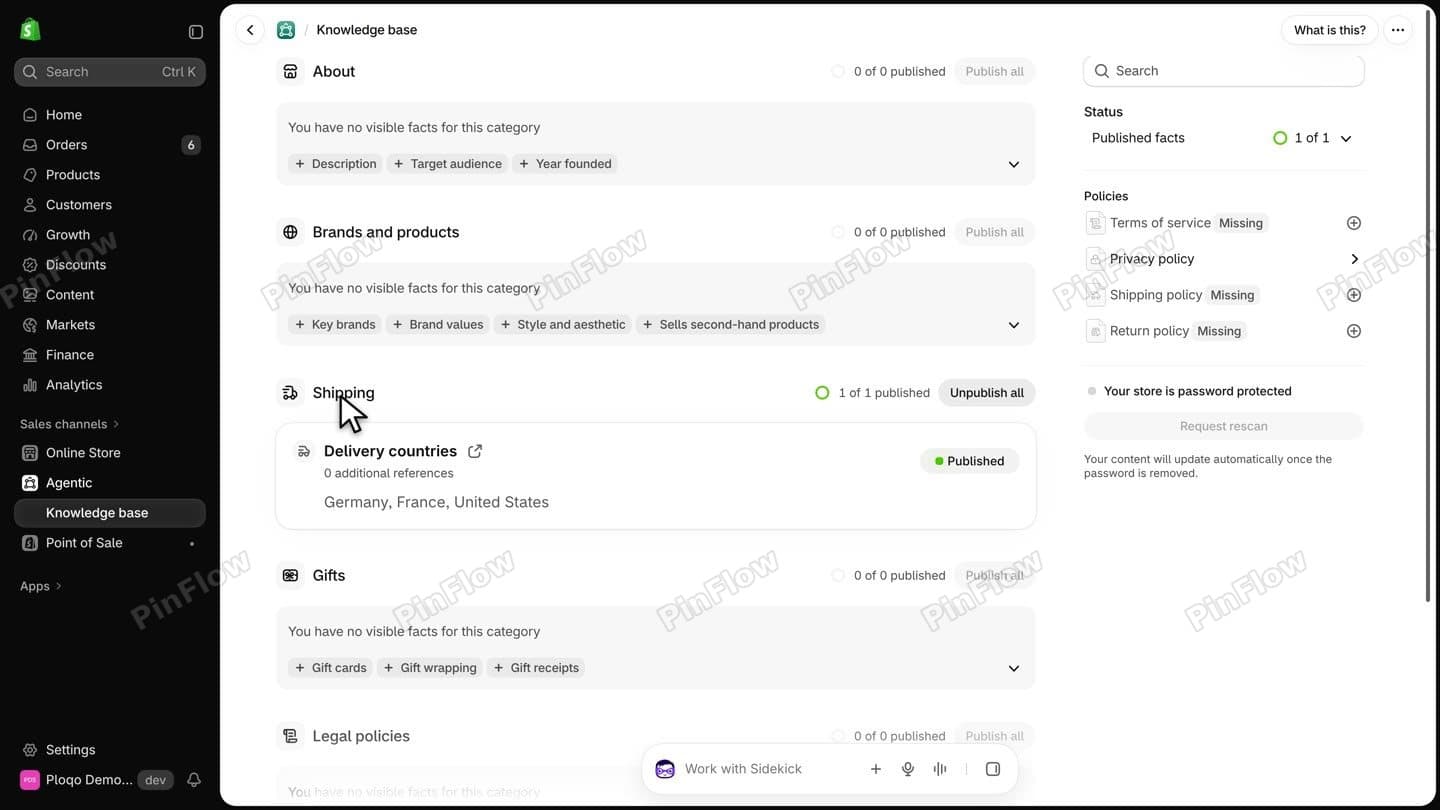 The Knowledge base page with fact sections About, Brands and products and Shipping, and the Policies list showing Missing items
Shopify Catalog says Ineligible
Back on Agentic, click Shopify Catalog. It is marked Ineligible. Up top, catalog access said Completed. Both are true: access is on, but the store does not meet the requirements yet. A banner says so and links the requirements.
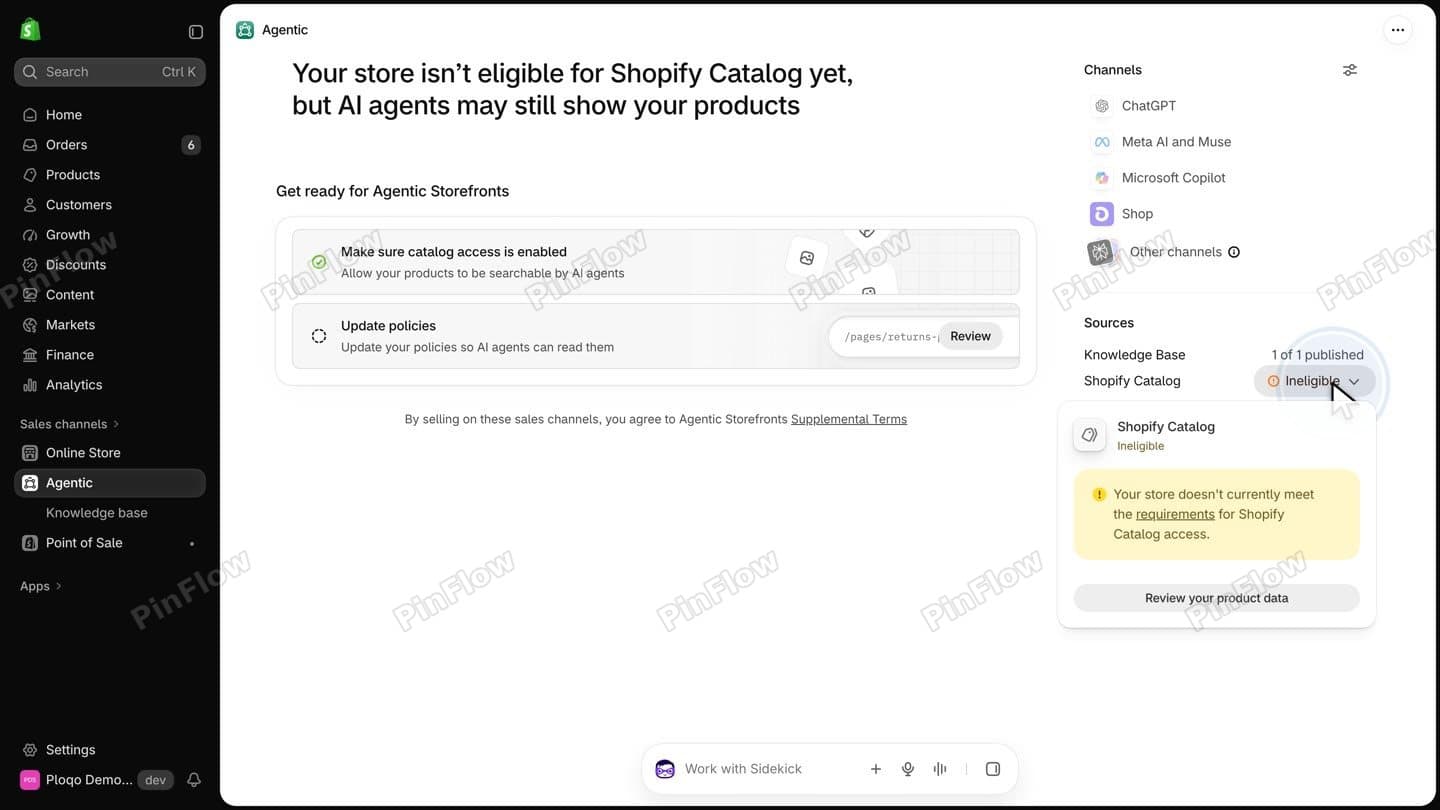 The Shopify Catalog popover saying the store doesn't currently meet the requirements, with a Review your product data button
Review your product data opens Channel mapping. It picks the source for each field AI agents get, such as the product title and description, and it has a Compare-at switch. The preview shows the Running Shoe at $110.
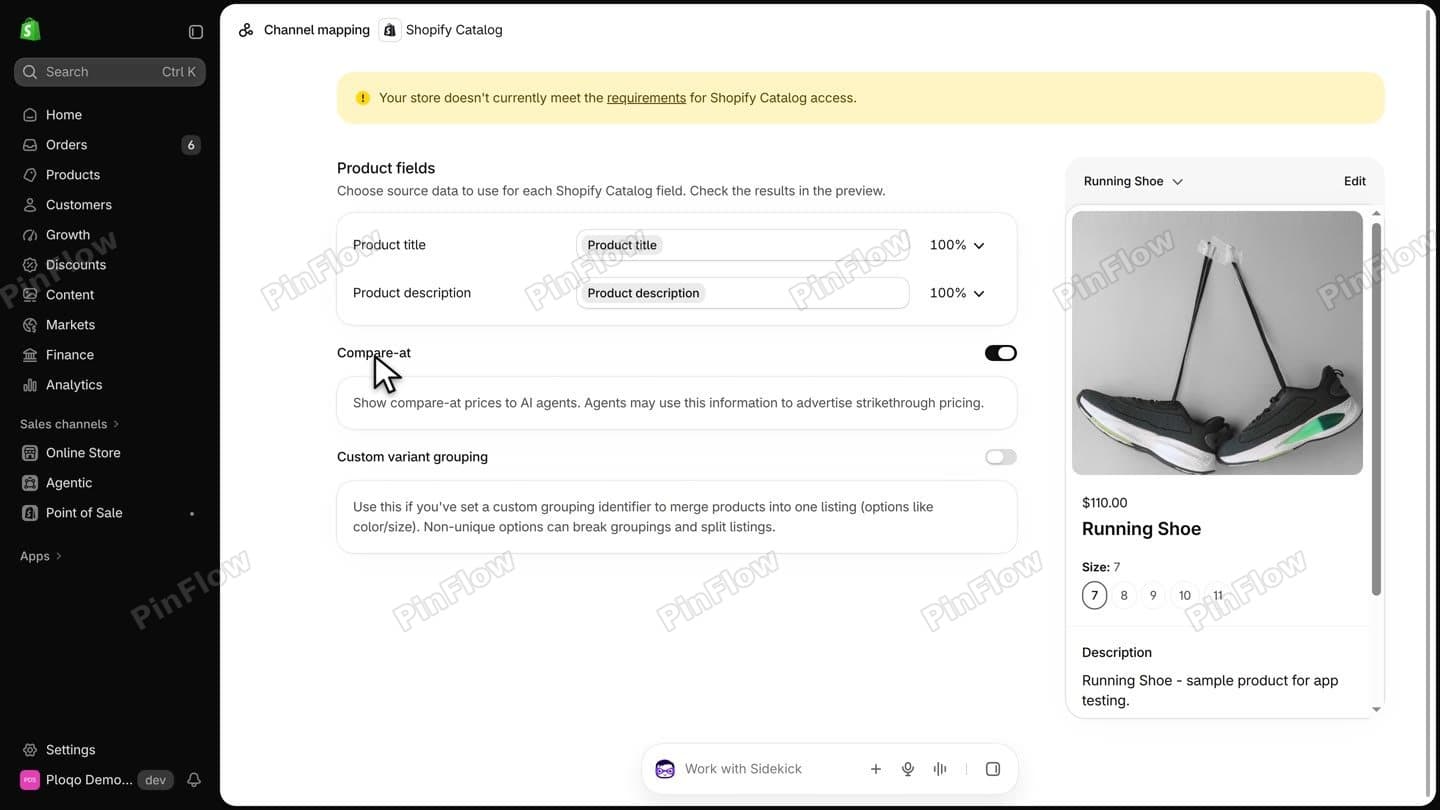 The Channel mapping page with product title and description fields, the Compare-at switch and a preview of the Running Shoe at $110
Why a store is ineligible
On Shopify's Catalog requirements page, the store must be on the Starter plan or higher and cannot be in private mode. The storefront password puts this development store in private mode. Each product also needs a title, an image and a price greater than zero.
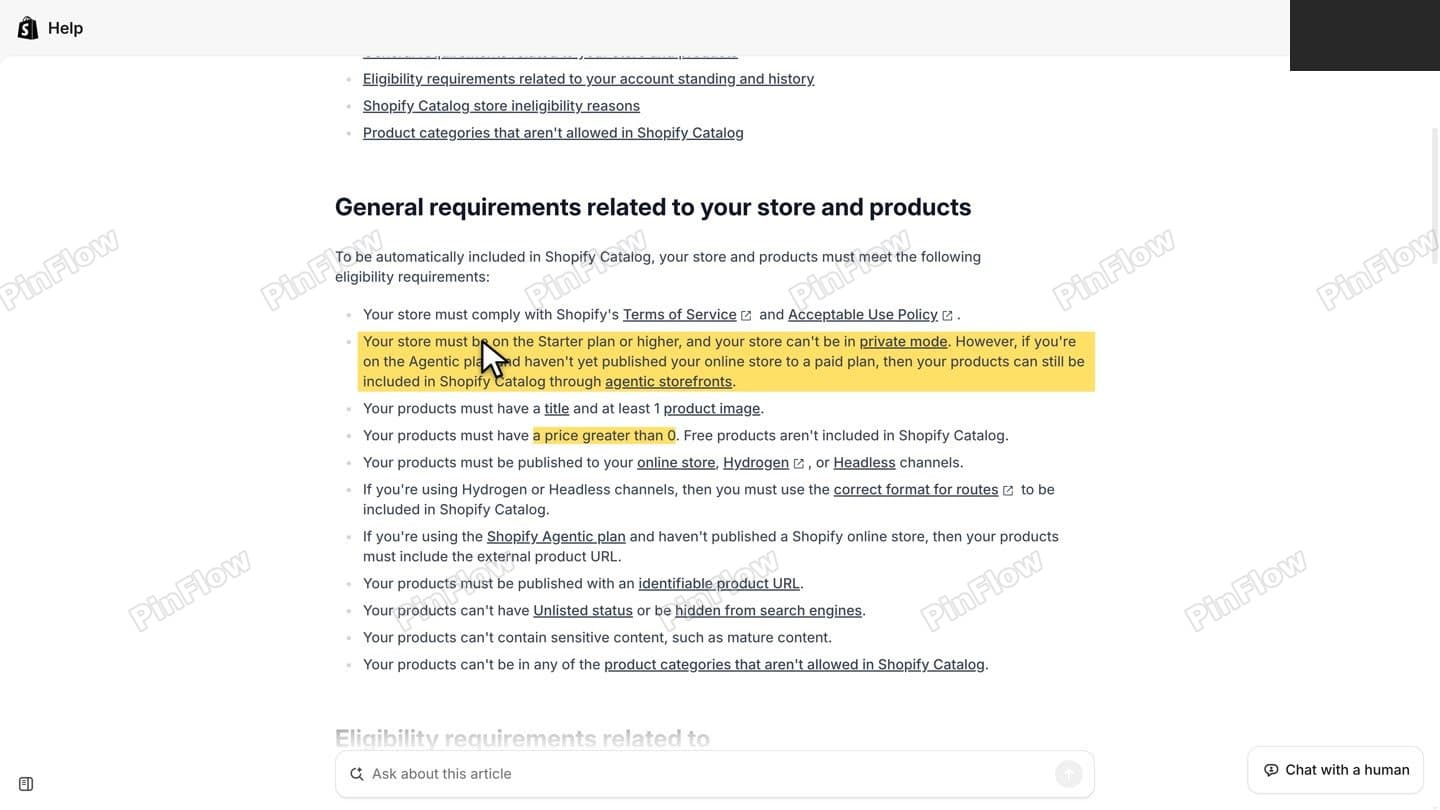 Shopify Help Catalog requirements with the Starter plan or higher and not in private mode sentence highlighted
Being in Shopify Catalog does not guarantee a product shows up in a specific AI answer. Shopify's help page also covers an Explore section with a search preview, which this store does not show. It calls the preview a directional signal, not an exact prediction.
Agentic reports
In Analytics, under Reports, a search for agentic lists the agentic reports, such as total sales by referring channel and total sales over time.
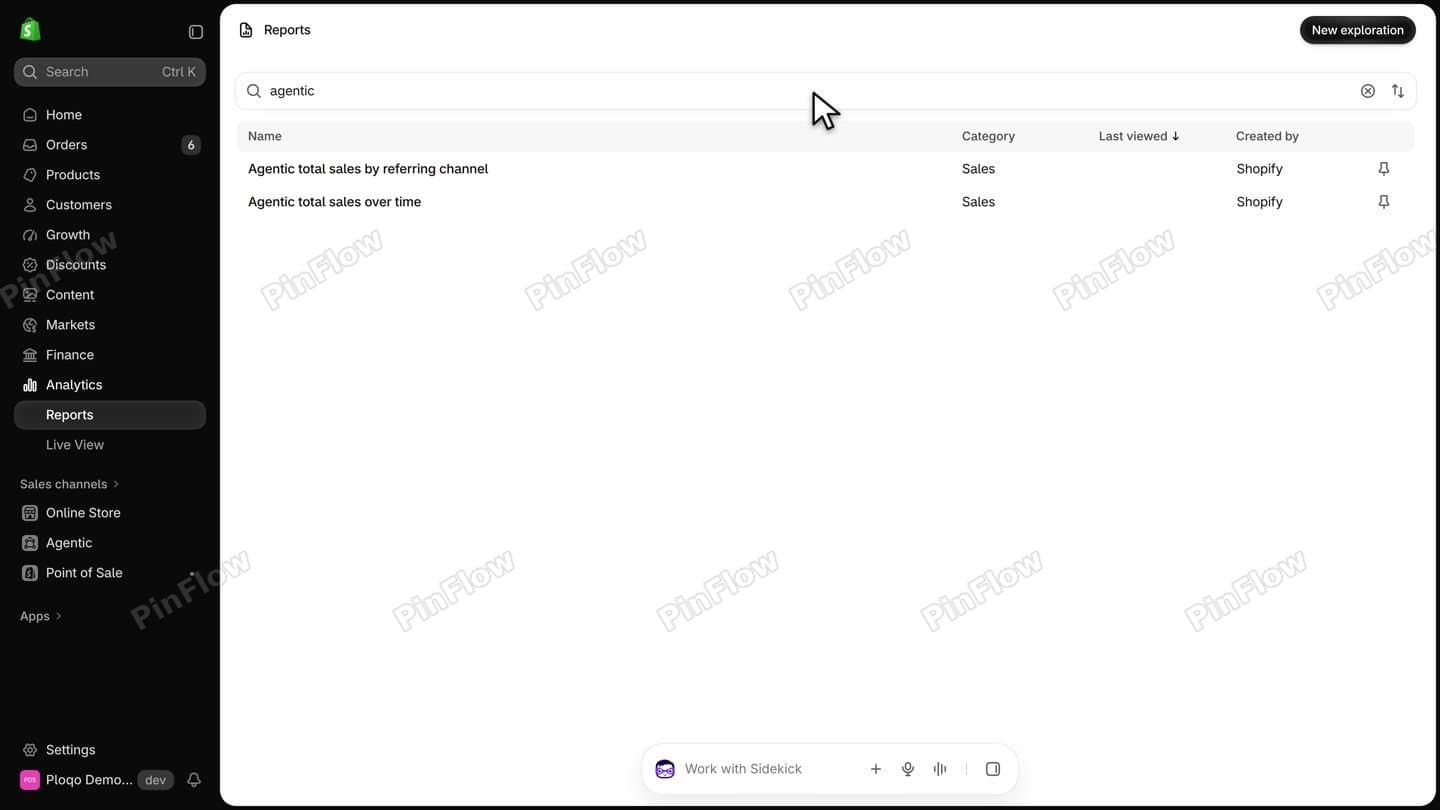 The Analytics Reports page with agentic typed in the search box and two agentic sales reports listed
What to do next if your store looks like this
For this store, the next step is in Settings, then Policies. Refund and terms of service are the two that Meta and Copilot asked for, and both say No policy set. After the policies, check the Catalog requirements above.
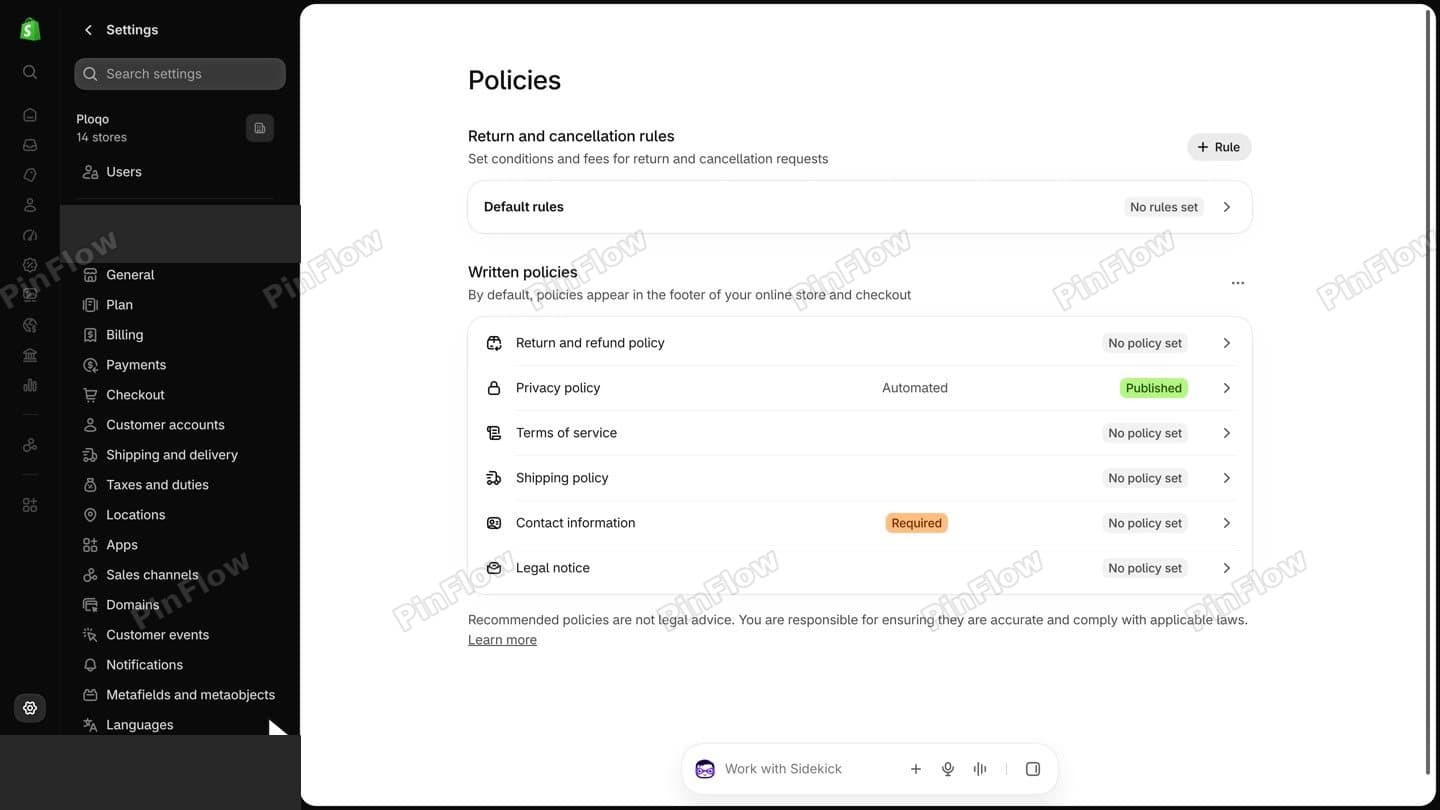 Settings Policies page with Return and refund policy and Terms of service showing No policy set and Privacy policy Published
The video ends back on the Agentic page. The ChatGPT check has its own video, the Knowledge base has one too, and Channel mapping gets its own. If this part of the admin is new to you, the tour of the new Shopify admin shows where other menus went, and what your store tells AI agents explains the other side of agentic commerce.
Questions about Shopify agentic storefronts
What are Shopify agentic storefronts? They put your products inside AI chats such as ChatGPT, Google AI Mode and Gemini, Microsoft Copilot and Meta. You manage them in Sales channels, then Agentic, and they are on by default for eligible stores.
The sidebar under Sales channels with Agentic and Knowledge base highlighted
How do I enable Shopify agentic storefronts? You do not need to turn them on. For an eligible store they are active by default. Open Sales channels, then Agentic, and check the headline, the Get ready card and the Channels list.
The Get ready card on the Agentic page with Make sure catalog access is enabled marked Completed
How do I turn off agentic storefronts in Shopify? On an eligible store, click the sliders icon beside Channels, switch Manage for me to Manual, then open a channel and turn off its settings. The steps for ChatGPT are in the ChatGPT selling check.
The sliders icon beside Channels opening the Manage for me setting on the Agentic page
Why does Shopify Catalog say Ineligible? The store has to be on the Starter plan or higher and not in private mode, with the three policies filled in. Each product needs a title, an image and a price greater than zero. Click Ineligible to read the reason for your store.
The Shopify Catalog Ineligible popover with the reason and a Review your product data button
Which countries does it cover? Each channel has its own. ChatGPT needs a store that sells to customers in the United States. Microsoft Copilot shows only to shoppers in the United States. Google AI Mode and Gemini cover the United States, Canada and Australia. Meta covers Australia, Canada, Japan, Mexico, Singapore, the United Kingdom and the United States.
The Channels card listing ChatGPT, Meta AI and Muse, Microsoft Copilot, Shop and Other channels
Agentic is missing from my admin menu. Am I opted out? Not necessarily. The item may have been unpinned, or your staff account may lack the permission. Use the three-dot menu on the page to pin it again.
The three-dot menu on the Agentic page showing Unpin from your navigation
Sources
- Shopify Help: agentic storefronts
- Shopify Help: the Agentic page
- Shopify Help: Shopify Catalog requirements
- Shopify changelog, 11 May 2026: a new home for Agentic Storefronts in your admin
- Shopify changelog, 26 October 2026: Knowledge base is now available in your admin
- Shopify changelog, 23 November 2026: agentic checkout for ChatGPT
Questions or a screen that looks different on your store: [email protected]
More Shopify fixes
More community-sourced Shopify guides, tested on a live store.
Shopify Admin
Shopify Catalog: Check What ChatGPT Gets (Channel Mapping)
Shopify Catalog is the product data ChatGPT and other AI channels read. Open Channel mapping, read the preview, and check the title, price and description.
Shopify Admin
Shopify Knowledge Base: Add Facts for AI Agents (2026)
The Shopify knowledge base is now in your admin: Sales channels, Agentic, Knowledge base. Add a fact, pick a type, save, and publish it for AI agents.
Shopify Admin
Shopify ChatGPT: Is It Selling Your Products? Check (2026)
Shopify ChatGPT selling is on by default for eligible stores since 23 November 2026. See where to check yours in Sales channels, Agentic, with video and steps.