
Shopify B2B Discounts: How to Turn Them On and Set Them Up
Shopify B2B discounts are off until Shopify Support enables them. Here is how to ask, how to build a B2B market, and how to give company buyers automatic free shipping.
By AjayCodeWiz · September 27, 2026 · 9 min read
The problem
You sell wholesale on Shopify. You have set up companies, and your buyers log in to order.
Then you create a discount for them, and it does nothing. The buyer reaches checkout and there is no discount. There is not even a box to type a code into.
A merchant asked about this on the Shopify Community. They wanted company buyers to get free shipping on orders of 3 or more items. They tested it by viewing the store as a test company account. The discount code field was missing at checkout, and the automatic discount never showed.
Four people answered with the same discount settings. One mentioned Shopify Support in passing. The settings do not work until Support has made one change.
I reproduced it on a Shopify test store with B2B switched on. On that store, company buyers got no discount of any kind until one account setting was changed. That setting is not in your admin. Shopify Support has to change it.
What "B2B" means on Shopify
A quick glossary, because the words matter for the fix.
- Company: a business customer. It has one or more contacts (the people who log in) and one or more locations.
- Company location: one address a company buys for, such as a shop or a warehouse. Prices, payment terms and discounts attach to the location, not to the person.
- Market: a group of buyers you treat the same way. Most stores have markets by country. A B2B market is a market made of company locations instead of countries.
- Catalog: a list of products and prices for a group of company locations, such as "Wholesale price list, 30% off".
- Automatic discount: a discount that applies by itself when the cart meets a rule. No code is needed.
If you are still deciding whether your plan includes B2B at all, I covered that in Shopify B2B on Basic vs Plus.
Why company buyers get no discount
Shopify keeps discounts away from B2B orders by default. A new discount, set to "All customers", still does not apply to a buyer who is ordering for a company.
I checked this with an order total, not a guess. I built one automatic free shipping discount: all customers, minimum 3 items. Then I priced the same 3-item order twice, with Priority Mail at $12.06.
| Buyer | Shipping before discount | Shipping after discount |
|---|---|---|
| Regular customer | $12.06 | $0.00 |
| Company buyer | $12.06 | $12.06 |
The discount worked for the regular customer and was ignored for the company buyer. There was no error and no message. The discount simply did not apply.
I also tried to limit a discount to my B2B market. Shopify refused, and the message named the fix:
Discounts cannot be assigned to B2B markets. Contact Shopify support to enable B2B discounts.
So the missing code box and the missing automatic discount have the same cause. Discounts for B2B are a feature that Shopify turns on per store, on request.
Step 1: Ask Shopify Support to enable B2B discounts
Open the Shopify Help Center, start a chat and ask:
Please enable B2B discounts on my store so I can assign discounts to B2B markets.
Until they do, your B2B market will not appear when you try to pick it on a discount. On my test store the list showed only the country markets: Canada, International and United States. The B2B market I had just created was not there.
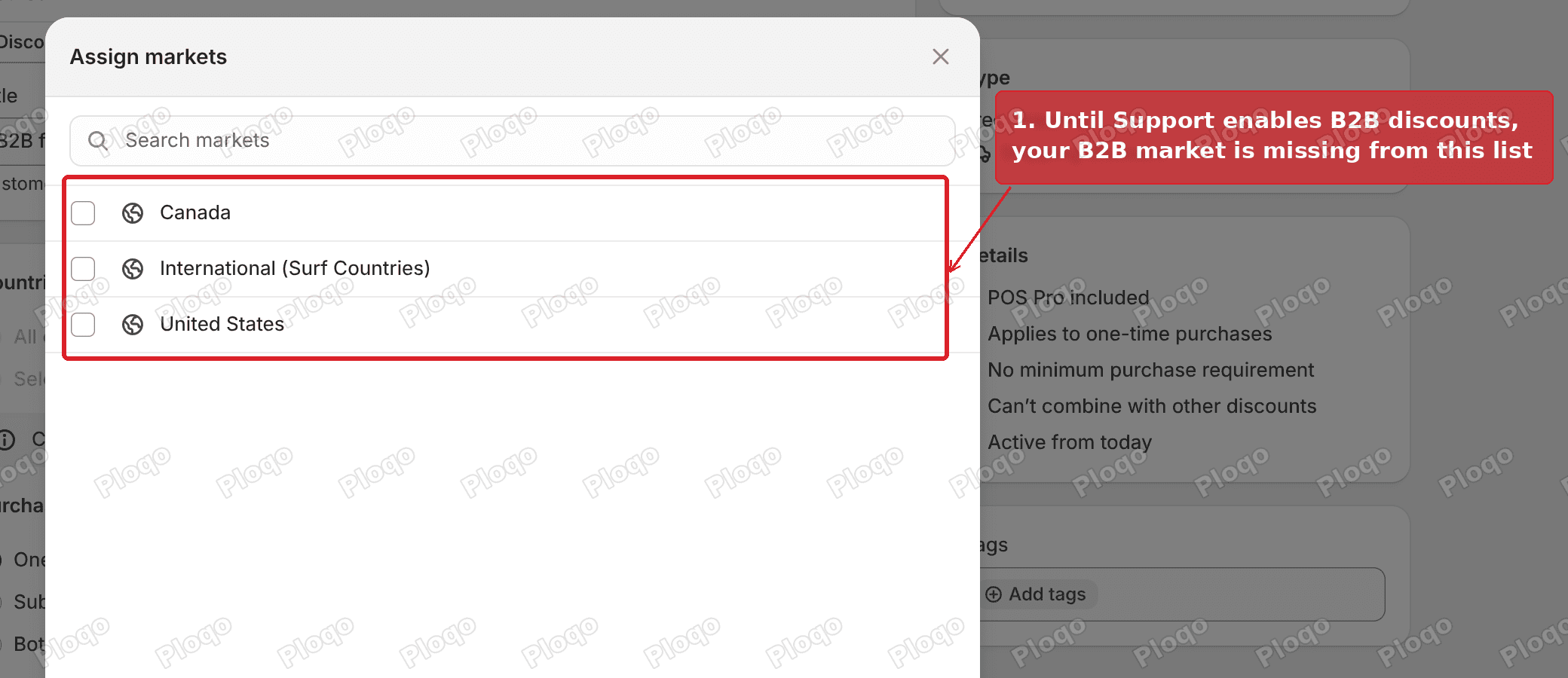 Assign markets list on a Shopify discount showing only country markets and no B2B market
Shopify's own B2B feature list says to "assign automatic discounts or discount codes to your B2B markets to make the discounts available to only B2B customers." Support's switch is what makes that option appear.
You can do Steps 2 to 5 while you wait. The market is useful on its own.
Step 2: Create a B2B market
A B2B market is how you tell a discount "only these companies". Your companies are probably sitting in a country market right now, next to your retail shoppers.
Go to Markets in the admin and click Create market.
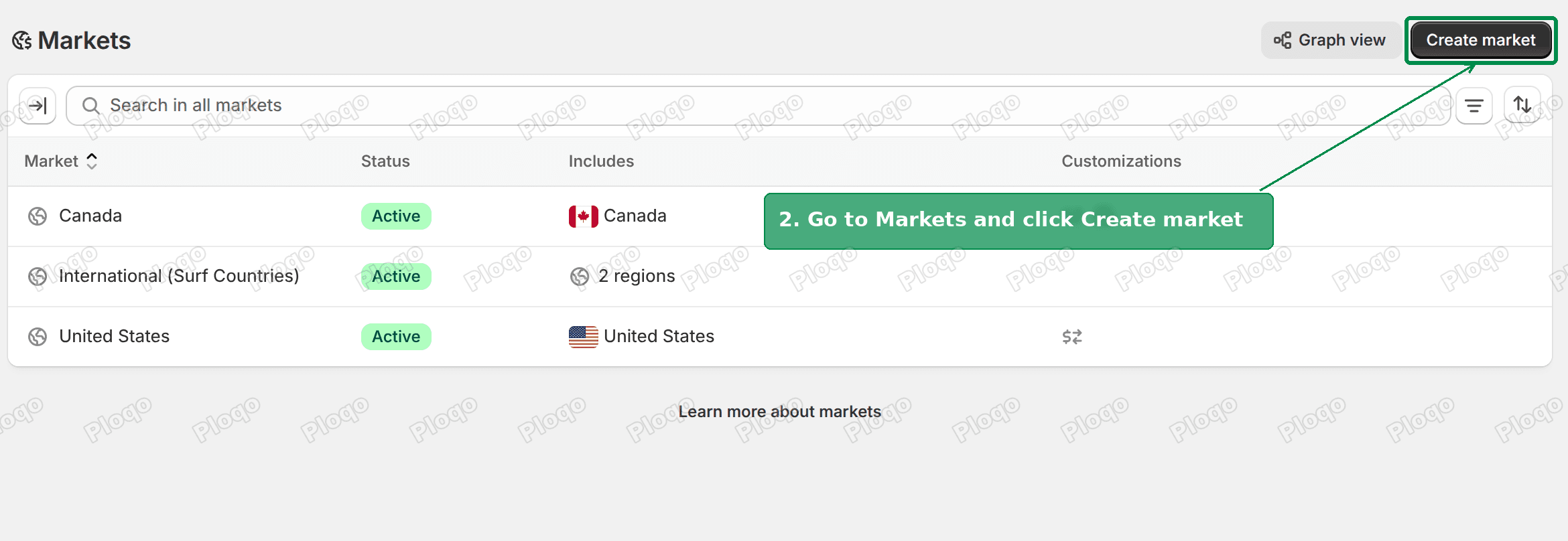 Shopify Markets page with the Create market button highlighted
Name it B2B, then click Add condition. A condition decides who belongs to the market.
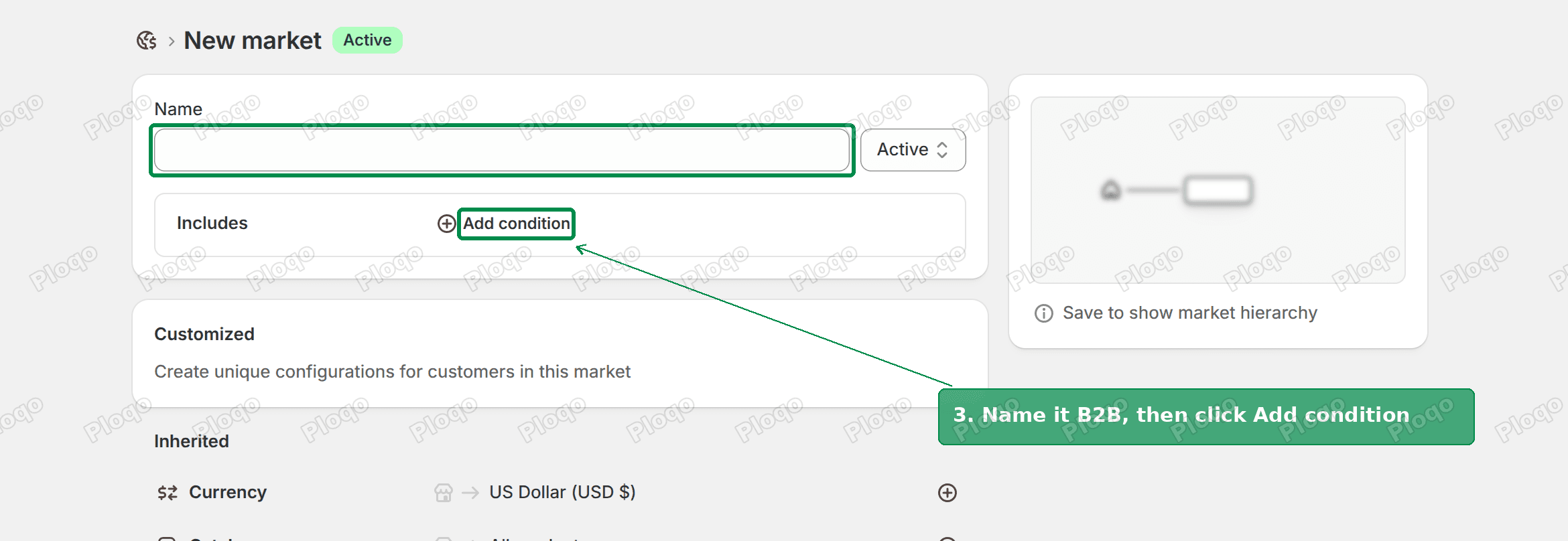 New market form with the name field and Add condition highlighted
In the window that opens, change the Includes dropdown to Company locations. Tick the companies you want in this market and click Done. There is also a switch to include all existing and future company locations, which saves you coming back each time you add a company.
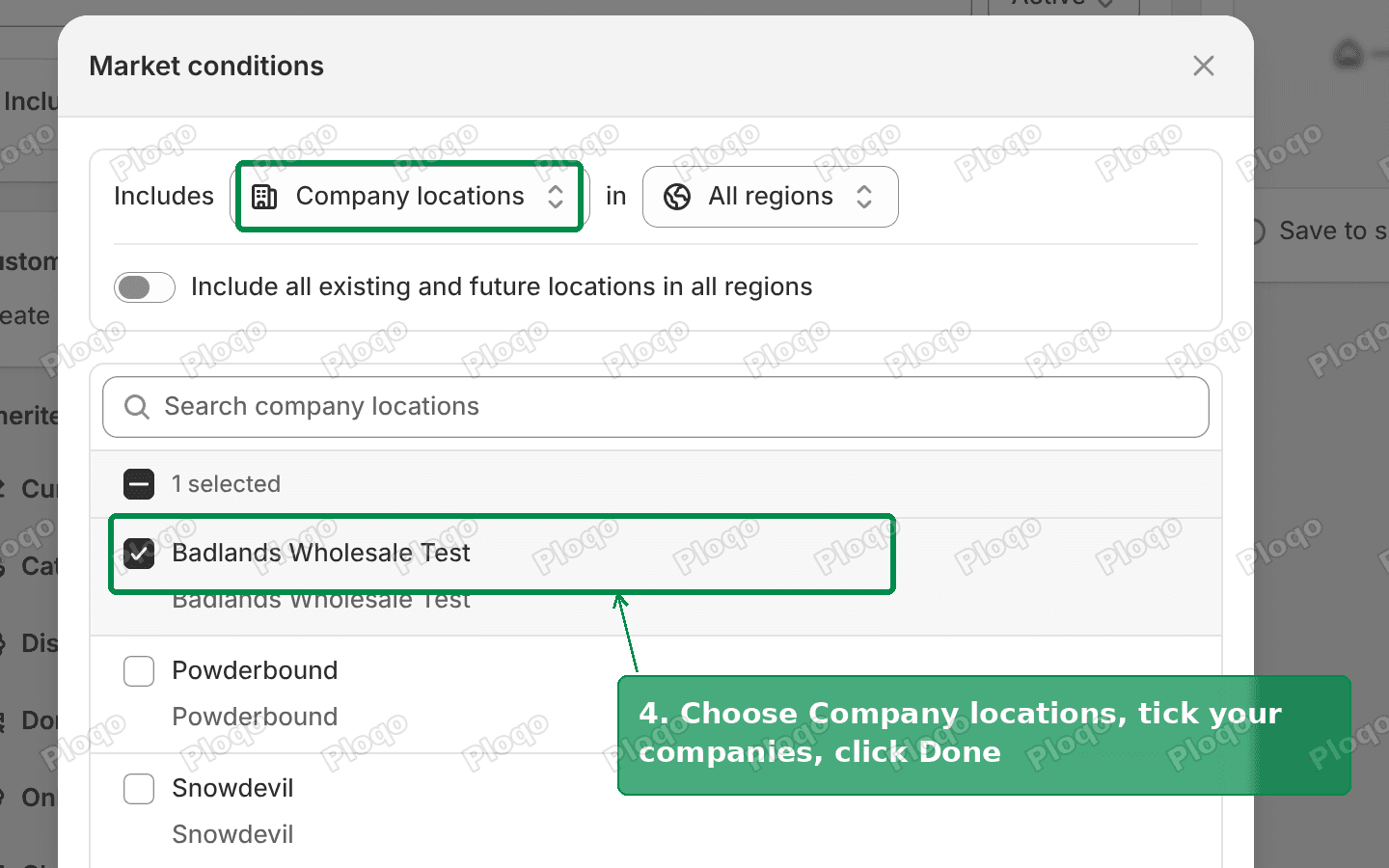 Market conditions window with Company locations selected and a company ticked
Click Save.
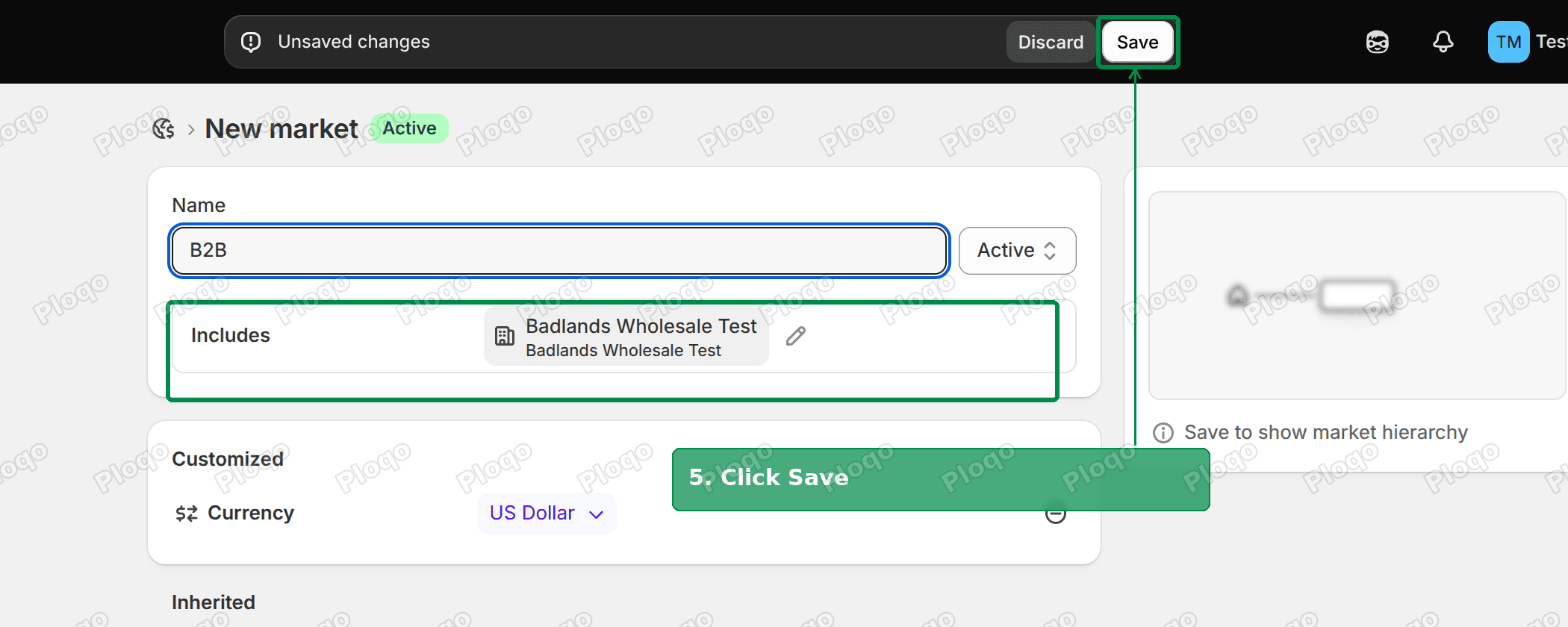 New B2B market with the company location added and the Save button highlighted
On my test store the saved market showed a B2B badge, and it sat under the United States market as its parent. There was no warning about moving the company out of its old market.
Step 3: Create the automatic free shipping discount
Go to Discounts, click Create discount and pick Free shipping.
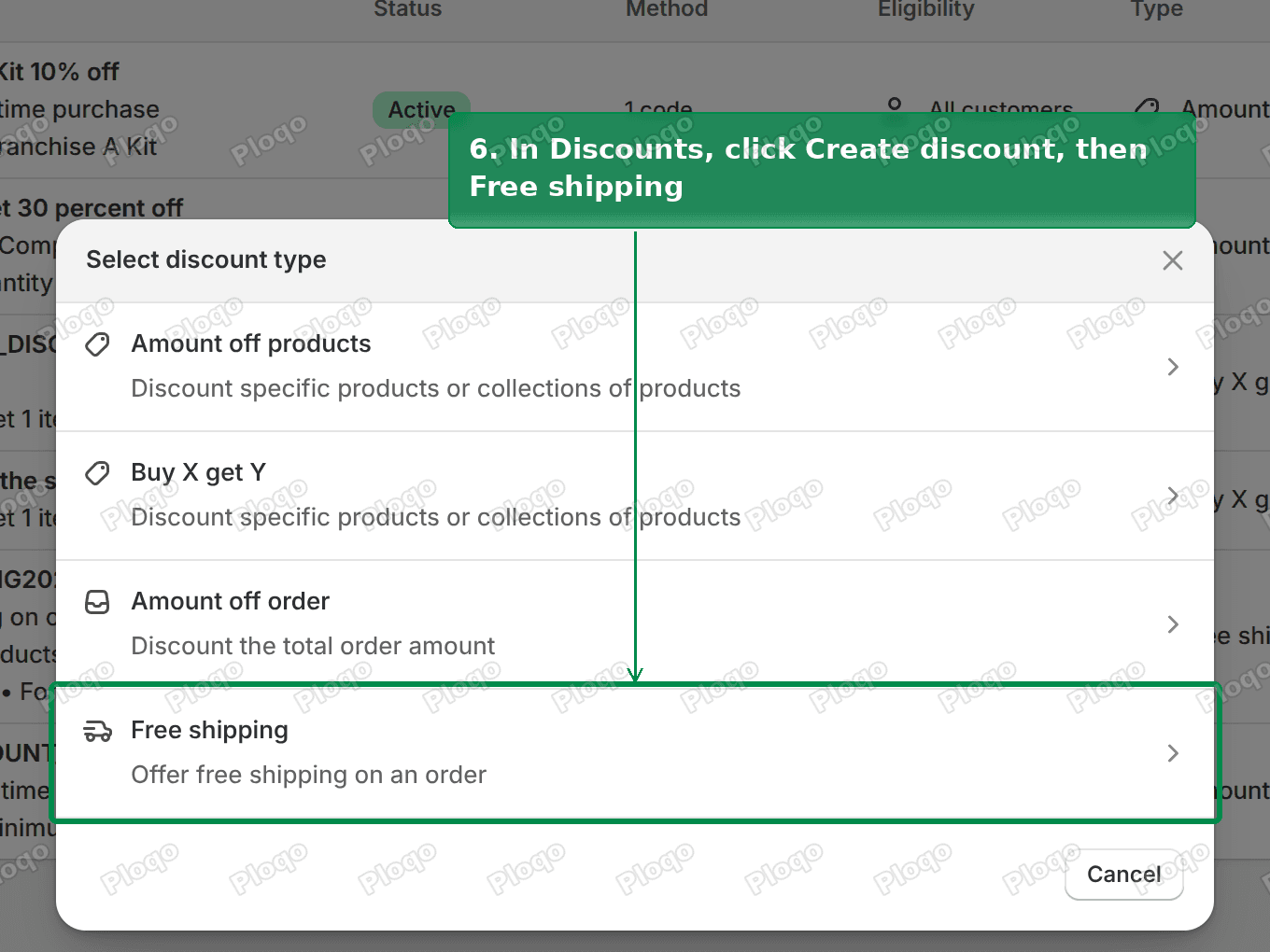 Select discount type window with Free shipping highlighted
Set the method to Automatic discount and give it a title. Buyers see the title in the cart and at checkout, so make it plain, such as "Free shipping on 3+ items".
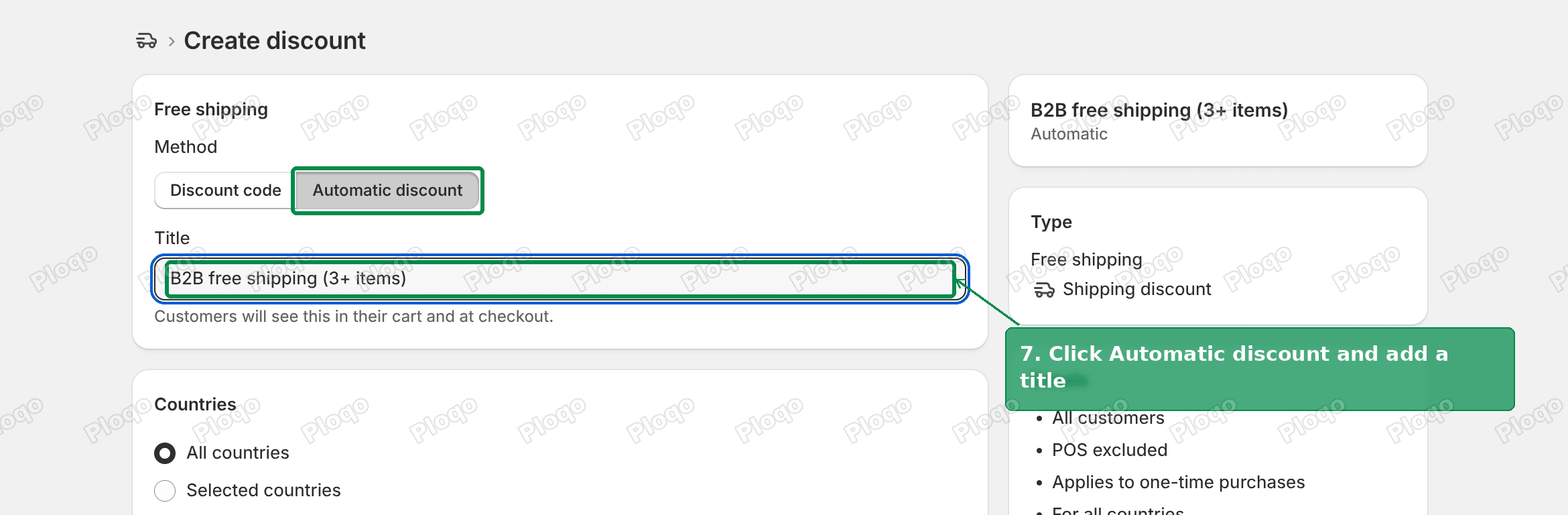 Free shipping discount form with Automatic discount and the Title field highlighted
An automatic discount answers the code box problem too. Your buyers do not need to type anything, so it does not matter whether the box is there.
Step 4: Limit it to your B2B market
Scroll to Eligibility. Open the dropdown and pick Markets. The other choices are All customers, Customer segments and Specific customers.
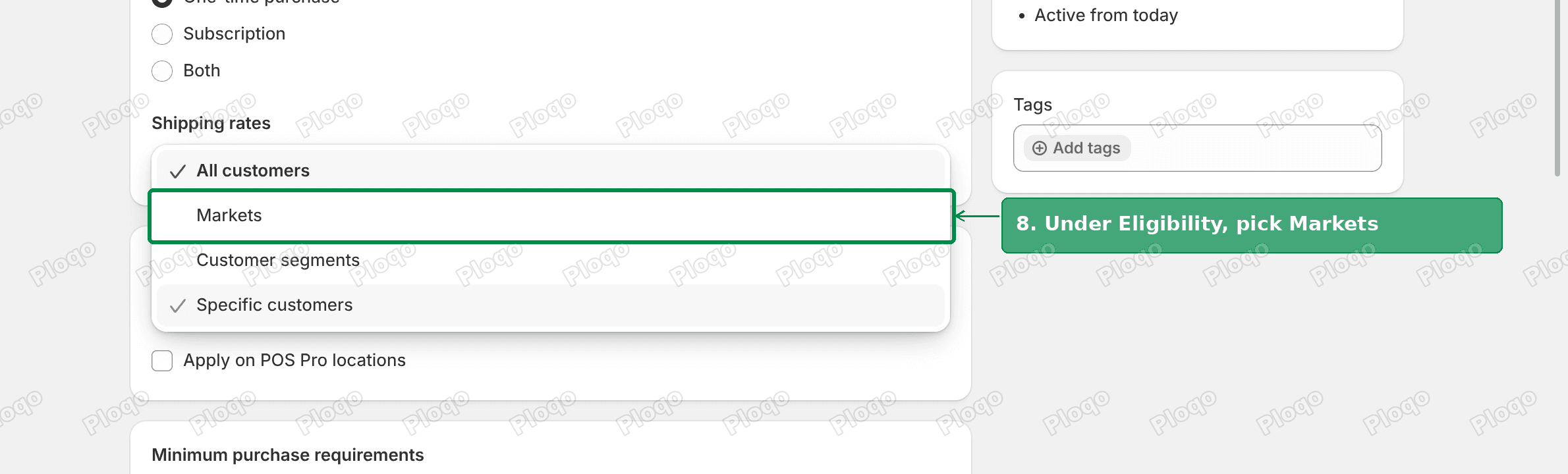 Eligibility dropdown open on a Shopify discount with Markets highlighted
Click Browse and tick your B2B market. This is the step that needs Support's switch. Before it, the B2B market is missing from this list.
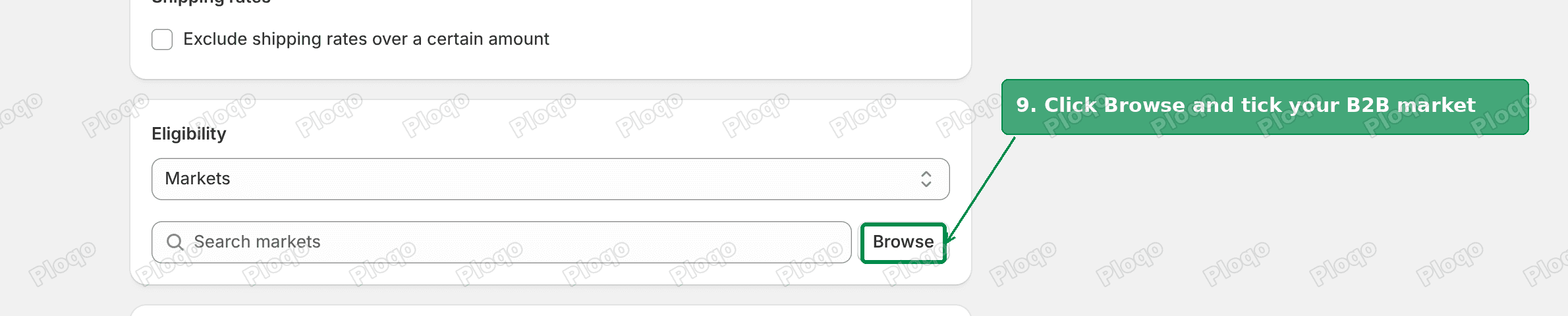 Eligibility set to Markets with the Browse button highlighted
When you pick Markets, the Countries section above greys out and reads "Countries are set by your selected markets". That is expected.
Step 5: Set the 3-item minimum and save
Under Minimum purchase requirements, pick Minimum quantity of items and enter 3. The summary card on the right updates to "Minimum purchase of 3 items".
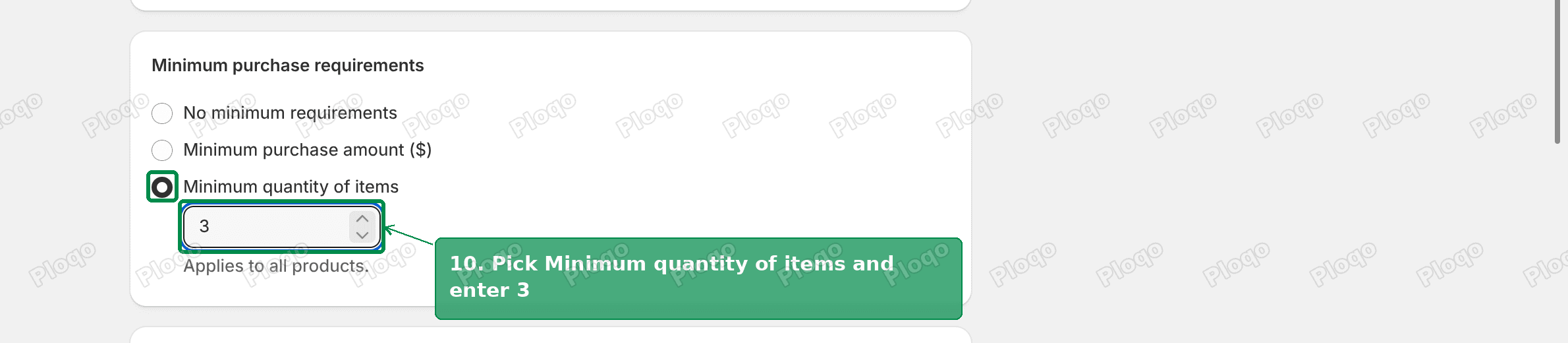 Minimum purchase requirements set to minimum quantity of items with 3 entered
Click Save in the bar at the top of the page.
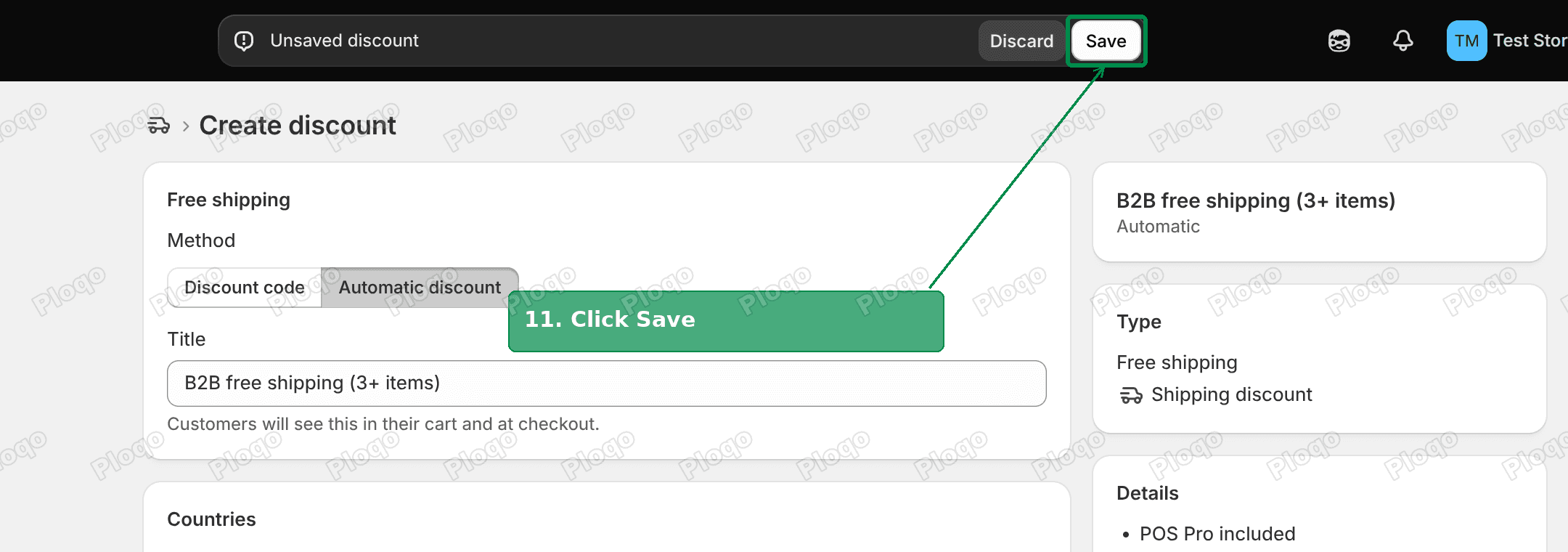 Unsaved discount bar with the Save button highlighted
"Minimum quantity" counts every item in the cart. Three of one product counts the same as three different products. If you want a minimum order value instead, pick Minimum purchase amount in the same place.
Can a customer segment do this instead?
It seems like a way around the Support request. A customer segment is a saved search of your customer list that keeps itself up to date. Shopify can build one for "customers who belong to a company".
I tried it. I made a segment of company contacts and set the free shipping discount's eligibility to that segment. The company buyer still paid $12.06 for shipping on a 3-item order.
So a segment does not get past the switch either. The discount is ignored for company orders until Support enables B2B discounts, whatever you pick under Eligibility.
Catalogs are for prices, not discounts
The merchant also asked whether catalog settings could do this. They cannot, because catalogs control prices.
A catalog can set a company's prices to, say, 20% below retail, or fix a price per product. It can also set quantity rules, such as a minimum of 6 per product. None of that touches shipping, and none of it reads the cart total.
Use a catalog when a company should always pay less. Use a discount when a reward depends on what is in the cart, like free shipping at 3 items.
Discount codes for B2B buyers
The same switch covers codes. Once B2B discounts are enabled, you can assign a code discount to your B2B market in the same Eligibility section.
If you only want one rule, like free shipping at 3 items, the automatic version is simpler. Buyers get it without being told a code, and your sales team does not have to hand codes out.
Stacking with other discounts
If you already run an automatic discount for retail, check Combinations on both discounts. A free shipping discount only runs alongside a product or order discount when both discounts allow it.
The discount form shows "This discount won't combine with other product, order, or shipping discounts" until you change it. I wrote up how the combination settings behave in Shopify discount combinations.
If it still does not apply
Work through these in order.
- Is the buyer logged in as a company contact? A company contact buys for a location. The same person browsing while logged out is a regular customer, and a B2B-only discount will not apply.
- Is their company location in the B2B market? Open the market and check the Includes card. A location added after you built the market is not included unless you turned on the "all existing and future locations" switch.
- Did Support confirm the switch? If the B2B market is still missing from the discount's Browse list, it has not been enabled yet.
- Does the cart really have 3 items? Check the quantity, not the number of lines.
- Is another discount blocking it? Check Combinations on both discounts.
- Is the discount active? Look at the status on the Discounts page and the start date.
Apps that handle B2B discounts
If you would rather not wait on Support, or you need rules Shopify does not offer, wholesale apps can do it. The three most-reviewed on the Shopify App Store are:
- BSS B2B Wholesale Pricing
- Sami B2B Wholesale Pricing
- Wholesale Pricing Discount B2B
Most of these apps are built around customer tags rather than Shopify's company accounts. Check that the one you pick supports B2B companies before you install it, if you already use them.
Summary
- Shopify ignores discounts on company orders until Support enables B2B discounts.
- Ask Support for it, then build a B2B market from your company locations.
- Create an automatic free shipping discount, set Eligibility to your B2B market, and set a minimum of 3 items.
- Catalogs change prices. They cannot give free shipping.
This article started as an answer on the Shopify Community.
Spending too long on manual Shopify busywork?
PinFlow turns your Shopify catalog into Pinterest pins and posts them on a schedule, automatically. Set it up once and let it run.
Get PinFlow on the Shopify App StoreMore Shopify fixes
More community-sourced Shopify guides, tested on a live store.
Shopify Admin
How to Edit a Packing Slip on Shopify to Show Big Product Photos
Shopify's order page shows each item as a 40 pixel thumbnail with no way to enlarge it. Here is how to edit the packing slip template so every line prints that exact variant's photo at 1000 pixels, including the one-line fix Shopify's default template needs.
Shopify Admin
Shopify Shipping Zones: Fix Products Sold Out in One Country
Products show Sold out for customers in one country while your admin shows stock. The cause is a shipping profile with no zone for that country. How Shopify shipping zones and profiles decide what a customer can buy, and the six-click fix, with screenshots.
Shopify Admin
Shopify Translate: Fix Mixed Languages on Product Pages
A Swedish Shopify store showed English words on translated product pages. The titles were translated, so the English came from option names and theme text. How to fix each one in Translate & Adapt, with screenshots.