
Free Shopify Order Bill Splitter & Cost Splitting Calculator
Looking for a splitting calculator? Import items straight from a Shopify product link, choose who shares each one, split shipping, tax, and discounts fairly, then see exactly who pays whom. No signup required.
How the Order Bill Splitter Works
Splitting a shared cart by hand is painful. One person pays at checkout, then has to work out what everyone else owes once shipping, tax, and a discount code are in the mix. Whether you need a simple splitting calculator or a complex group order tool, this does the math for you in four quick steps:
- Add the people sharing the order (for example Alex, Jordan, and Sam).
- Add the items. Paste a Shopify product link to import the name and price automatically, or type items in by hand. For each item, pick who paid and who shares it.
- Add shipping, tax, and any discount. Choose who fronted these order extras.
- Read the results, then share them. You get a per-person breakdown and the simplest set of payments to settle up. Copy a shareable link, download a PDF, or paste a text summary into your group chat so everyone sees who pays whom.
Why a Shopify Bill Splitter Beats a Restaurant Splitter
A normal bill splitter is usually built for a dinner check, and a basic rent splitting calculator or splitting rent calculator only handles flat amounts. An online order is different. It has shipping, store-wide discount codes, sales tax, and items that only some people want. This tool handles all of that:
- Import from Shopify. Paste a product URL and the item name and price fill in automatically, so you do not retype a 15 item cart. You can also paste a whole cart at once.
- Proportional shipping. Shipping can split evenly (flat) or by each person's share of the order (proportional), which is fairer when one person is buying most of the cart.
- Discount codes spread correctly. A 10% off coupon reduces everyone's share in proportion to what they bought, exactly like it would on the real order total.
- Tax on the right base. Tax applies after the discount, then splits by each person's share.
A Real Example: Three Friends, One Shared Order
Here is the exact problem this cost splitting calculator solves. A store gives free delivery on orders over $500, so Alex, Jordan, and Sam decide to buy together in one cart to save on shipping. They land just under the threshold, so a small shipping fee still applies. Alex pays the whole bill at checkout. When the box arrives, the invoice shows each item, a combined total, a shipping charge, a discount code, and tax. Nobody knows who owes what.
The order looks like this:
| Item | Price | Bought by |
|---|---|---|
| Wireless Earbuds | 200.00 | Alex |
| Yoga Mat | 150.00 | Jordan |
| Phone Case | 120.00 | Sam |
| Item subtotal | 470.00 |
On top of that, the invoice has:
- A 10% discount code, which takes off 47.00.
- Shipping of 15.00, split proportionally (the bigger your share of the cart, the more shipping you cover).
- Sales tax of 8%, charged on the discounted subtotal.
The fair rule is simple: each person pays for their own item, gets their slice of the discount, and covers their share of tax and shipping in proportion to what they bought. Here is how the math lands:
| Person | Item | Discount (10%) | Shipping share | Tax (8%) | They pay |
|---|---|---|---|---|---|
| Alex | 200.00 | -20.00 | 6.38 | 14.40 | 200.78 |
| Jordan | 150.00 | -15.00 | 4.79 | 10.80 | 150.59 |
| Sam | 120.00 | -12.00 | 3.83 | 8.64 | 120.47 |
| Total | 470.00 | -47.00 | 15.00 | 33.84 | 471.84 |
The three shares add up to the 471.84 grand total exactly, with nothing rounded away. Since Alex fronted the full amount at checkout, the tool nets it out to two clean payments: Jordan pays Alex 150.59 and Sam pays Alex 120.47. Paste your own items above and you get the same breakdown for your order in seconds.
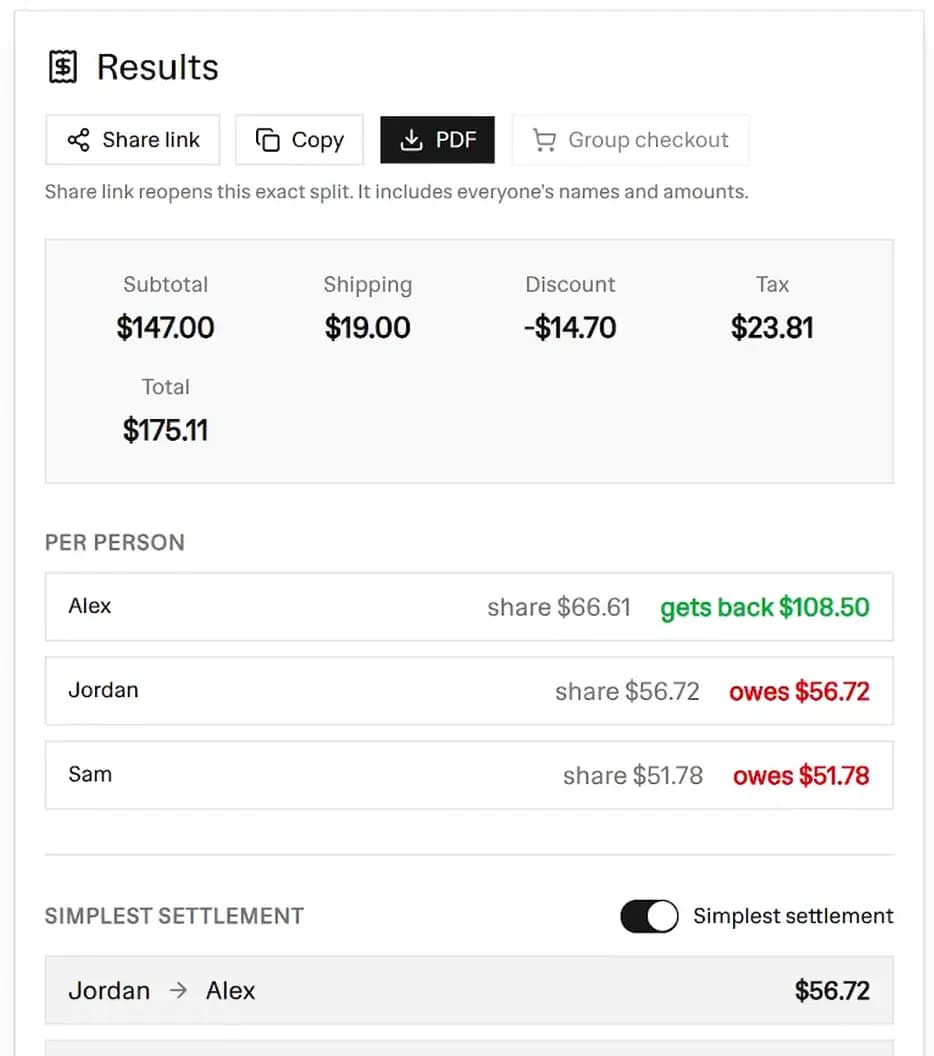 Order bill splitter results panel showing the per-person breakdown of who gets money back and who owes, plus the simplest settlement
How Shipping, Tax, and Discounts Are Split
The example above shows the three rules the tool follows on every order:
- Discount spreads by item value. A 10% code reduces each person's share by 10% of what they bought, just like it does on the real order total.
- Tax sits on the discounted base. Tax is figured after the discount, then split by each person's share, so nobody pays tax on money they saved.
- Shipping splits proportionally or evenly. Proportional means the person with the biggest share of the cart covers the biggest slice of shipping—much like a splitting bills proportionally calculator. Flat means everyone pays an equal cut. You choose.
Who This Free Tool Is For
- Group buys and group gifts. Friends chipping in on a combined order or a shared present.
- Roommates and students. Splitting a cart for shared appliances, groceries, or dorm supplies.
- Vacations and trips. It functions perfectly as a splitting airbnb cost calculator. Add the total Airbnb price and divide it up fairly.
- Service workers and teams. If you are looking for a tip splitting calculator or need help splitting tips by hours, you can add each person's hours as their "share weight" on a single tip item.
- Couples and partners. Ensure everyone pays their fair share of shared expenses like utilities or groceries.
- Coworkers and small teams. One person checks out office or event supplies and needs to bill the rest fairly.
- Dropshipping and store partners. Split shared costs across a partnership and settle up cleanly.
Group Checkout: Buy the Whole Order in One Cart
Once everyone has picked their items, you do not have to add each product to the store cart by hand. The Group checkout button builds one Shopify cart link that pre-loads every item you imported from a product URL, so a single person can pay for the whole order at once.
Here is how to use it:
- Import each item from Shopify. Paste a product link for every item in the order, for example
https://store.uklearns.pearson.com/products/pa008andhttps://store.uklearns.pearson.com/products/pa021. The name and price fill in automatically. - Click Group checkout. The tool reads the variant from each imported item and packs them into one cart link, then opens it in a new tab.
- Check out once. The store opens with every imported item already in the cart, ready to pay. One person enters their details and pays the combined total, then uses the split above to collect from everyone else.
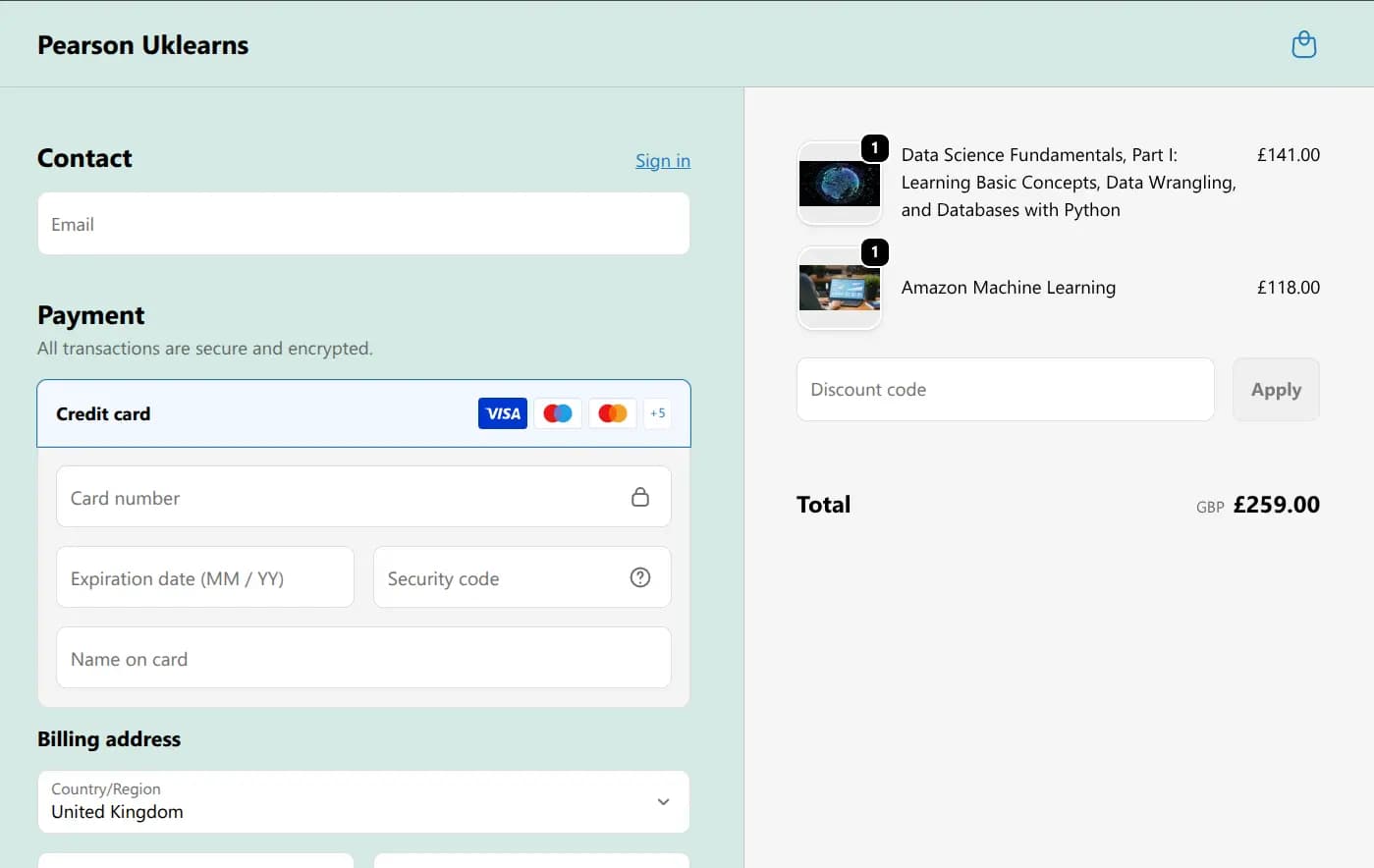 Group checkout opens one Shopify cart with every imported item ready to pay in a single checkout
Group checkout only covers items you imported from a Shopify product link, since those are the ones that carry a variant. Items typed in by hand or pasted as cart JSON are still counted in the split, but they are not added to the checkout link. A cart link also targets one store at a time, so if you import from more than one shop, the link uses the store with the most items.
Share a Split With One Link
Once the math is done, one person can send the whole split to the group with a single link. Click Share link, paste it into your group chat, and everyone opens the exact same breakdown and the same who-pays-whom result. No signup, no app, and nothing stored on a server.
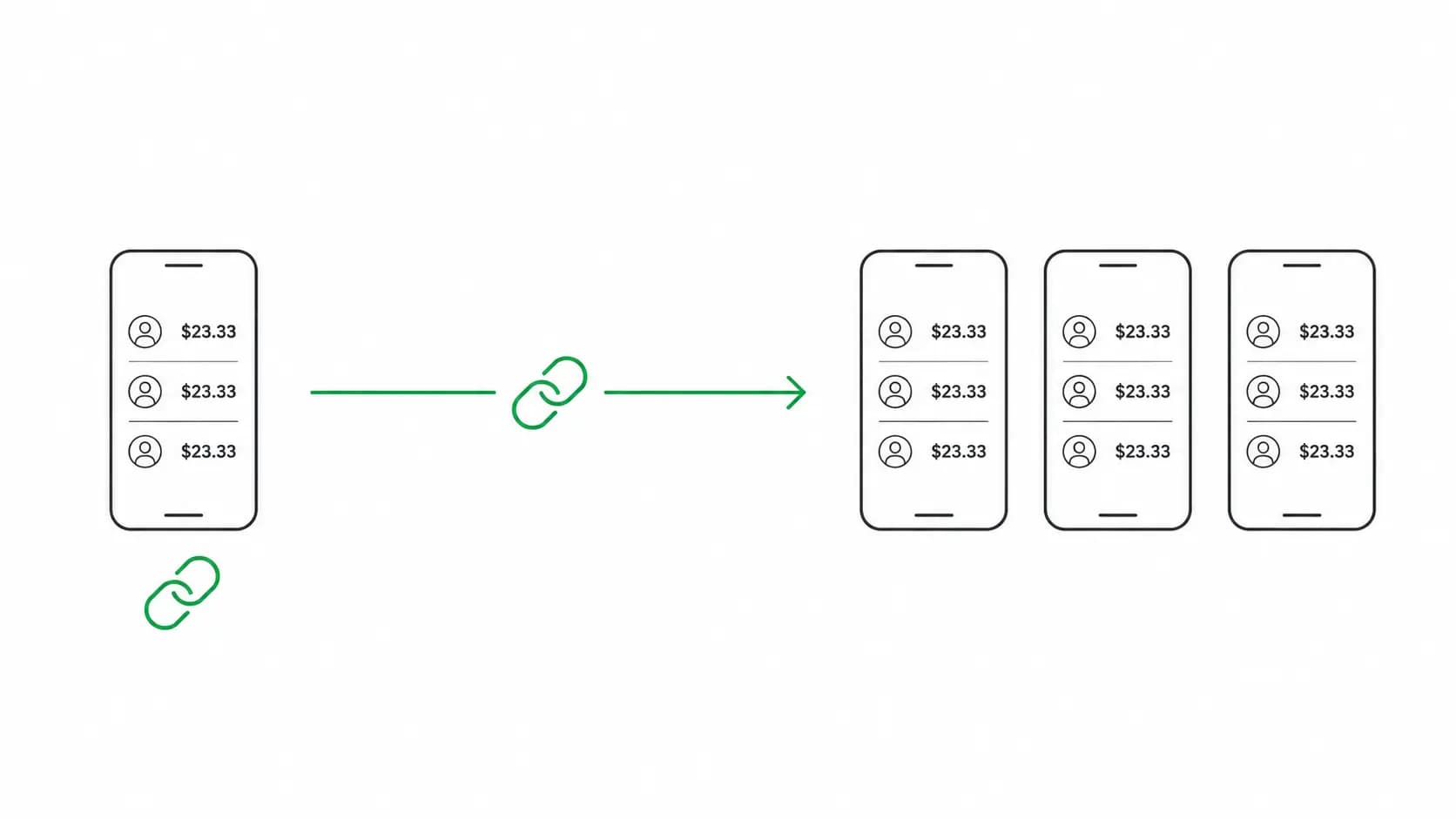 One person copies a share link and the whole group opens the same bill split
Frequently Asked Questions
Is the order bill splitter really free?
Yes. It is 100% free with no signup, no limits, and no account. Everything runs in your browser.
How do I import items from Shopify?
Copy a product link from any Shopify store (the URL contains /products/) and paste it into the
import box. The tool reads the public product data and fills in the name and price. If a store has
turned that off, just add the item by hand. You can also paste a full cart.js response to import
every line item at once.
Here are real product links you can try:
https://store.uklearns.pearson.com/products/pa021https://education.adp.com/products/data-driven-hr-analytics-the-essentialshttps://pixierebels.com/products/lace-panel-button-up-shirt
How do I import a whole cart at once?
If you already built the order in a store's cart, you can import every line item in one step instead
of pasting product links one by one. Here is how to grab your cart.js:
- Add at least two items to the cart on the Shopify store you are buying from.
- Open the cart link in a new browser tab by adding
/cart.jsto the store address, for examplehttps://pixierebels.com/cart.js. The page shows your cart as plain JSON. - Copy everything on that page, open the "Or paste a whole cart (JSON)" box in the tool, paste it in, and click Import cart items.
The JSON looks like this (prices are in cents, so 7999 means $79.99):
{
  "items": [
    { "title": "Wireless Earbuds", "quantity": 1, "line_price": 7999 },
    { "title": "Yoga Mat", "quantity": 2, "line_price": 6998 },
    { "title": "Phone Case", "quantity": 1, "line_price": 1999 }
  ]
}
Each line item lands in the tool with its name and price filled in, ready to assign to people. An
empty cart returns {"items":[]}, so make sure you added the items before opening /cart.js.
How does the "simplest settlement" work?
Instead of everyone paying everyone, the tool nets out all the balances and finds the smallest number of payments that settles the whole group. For example, rather than three separate transfers, it might reduce things to "Sam pays Alex" and "Jordan pays Alex".
Can I split a single item unequally?
Yes. Switch any item to an unequal split and give each person a share weight. Someone with a weight of 2 pays twice as much of that item as someone with a weight of 1. This flexibility makes it double as a splitting rent based on income calculator or a splitting bills based on income calculator—just enter your income ratios as the weights!
Does it work for currencies other than dollars?
Yes. Pick from US Dollar, Euro, British Pound, Indian Rupee, or Japanese Yen, and every amount and the PDF update to match.
Can I save or share the result?
Yes, in three ways. Click Share link to copy a shareable link that reopens the exact same split, with every person, item, shipping, tax, and discount already filled in. Send it in your group chat and everyone sees the same who-pays-whom result instantly, with no signup and no app. You can also download a clean PDF of the settlement and per-person breakdown, or copy a text summary to paste into WhatsApp, Slack, or email.
How does the shareable split link work?
The Share link button packs your whole order into the link itself, so the calculation travels with the URL. There is no account and no database. Because the split details live in the link (not on a server), nothing is stored anywhere, but anyone you send the link to can open it and see the group's names and amounts. When the link opens, the tool rebuilds the split and works out who pays whom again, so the numbers always match what you shared. To send an updated split, just make your changes and copy a fresh link.
More FREE Store Finance & Documents tools
Price products, forecast ad profit, bill customers, and create invoices, purchase orders, packing slips, and other order documents.
Free Expense Report Template Generator
Build a professional expense report. Add line items, mileage, and a cash advance, pick from 20 templates, and download a print-ready PDF, PNG, or CSV. Free, no signup, no watermark.
Free Timesheet Template Generator
Fill in a weekly, bi-weekly, or monthly timesheet template with live overtime and pay totals, pick from 12 templates, and download a print-ready PDF, PNG, or CSV. Free, no signup, no watermark.
Free Profit Margin Calculator
Calculate your product's selling price, gross margin, and net profit instantly. Factor in shipping and acquisition costs. Free, no signup.
Free Dropshipping Profit Calculator
Enter product cost, markup, ad spend per sale, and shipping to see your selling price, gross margin, and true net profit per dropshipping order. Free, no signup.
Free Print on Demand Profit Calculator
Enter provider base cost, markup, ad spend per sale, and shipping to see your selling price, gross margin, and true net profit per print on demand order. Free, no signup.
Free Markup Calculator
Turn cost and markup into your selling price, gross profit, and margin. Convert markup to margin, see your revenue multiplier, and price in bulk with CSV export. Free, no signup.
Free Etsy Fee Calculator
See every Etsy fee and your exact net payout, then switch to Stripe, Shopify, Square, Depop, Mercari, Poshmark, Reverb, or PayPal. Line-by-line breakdown, profit and margin, and a reverse net-to-price mode. Free, no signup.
Free Stripe Fee Calculator
See Stripe's processing fee and your exact net payout - 2.9% + $0.30 online, 2.7% + $0.05 in person. Line-by-line breakdown, profit and margin, and a reverse net-to-charge mode. Free, no signup.
Free Square Fee Calculator
See Square's processing fee by acceptance method - 2.6% + $0.15 in person, 2.9% + $0.30 online, 3.3% + $0.30 invoice, 3.5% + $0.15 keyed - and your exact net deposit. Profit, margin, and a reverse mode. Free, no signup.
Free Shopify Fee Calculator
See Shopify Payments processing by plan (Basic, Grow, Advanced), the transaction fee a third-party gateway adds, and your exact net payout. Profit, margin, and a reverse mode. Free, no signup.
Free Depop Fee Calculator
See what you keep on a Depop sale under the 2024 US structure - no seller selling fee, just 3.3% + $0.45 processing. Profit, margin, and a reverse net-to-price mode. Free, no signup.
Free Mercari Fee Calculator
See what a Mercari sale leaves you under the 2025 US structure - a flat 10% selling fee on item plus shipping, no seller processing fee. Profit, margin, and a reverse mode. Free, no signup.
Free Poshmark Fee Calculator
See your exact Poshmark earnings with the real US tiered fee - a flat $2.95 under $15, otherwise 20%. Profit, margin, and a reverse net-to-price mode. Free, no signup.
Free Reverb Fee Calculator
See what a Reverb sale leaves you: a 5% selling fee on item plus shipping (capped at $500) plus processing of 3.19% + $0.49 (2.99% + $0.49 Preferred). Profit, margin, and a reverse mode. Free, no signup.
Free Reverse Sales Tax Calculator
Back the sales tax out of any total. Find the price before tax and the tax amount from a gross total, with US state and Canada rate presets. Free, no signup.
Free ROAS Calculator
Calculate return on ad spend, break-even ROAS, and target ROAS, plus the ad budget needed to hit your revenue goal. Free, no signup.
Ecommerce Conversion Rate Calculator
Turn visitors and orders into your conversion rate, see revenue per visitor, and project the extra revenue from hitting a target rate. Free, no signup.
Free Break-Even Calculator
Find the units and revenue you need to cover costs. Calculate your break-even point, contribution margin, and the sales needed to hit a profit goal. Free, no signup.
Free Customer Lifetime Value Calculator
Calculate customer lifetime value (CLV) two ways - historic and predictive - see net value after acquisition cost, and get a plain-English CLV:CAC health verdict. Built for Shopify and ecommerce. Free, no signup.
Free Customer Acquisition Cost Calculator
Calculate customer acquisition cost (CAC), compare blended vs paid CAC by channel, and get an LTV:CAC health verdict plus the CAC payback period. Built for Shopify and ecommerce. Free, no signup.
Free Shopify Profit Calculator
Calculate net profit and margin per order after COGS, shipping, ads, returns, and real Shopify plan and payment fees. See break-even CPA and ROAS, a profit waterfall, and the order volume where each Shopify plan becomes the cheapest. Free, no signup.
Free Invoice Generator
Create professional invoices with your logo, line items, tax, and discounts. Live preview and instant PDF download. Free, no signup.
Free Packing Slip Generator
Create a clean packing slip for any order. Add your logo, ship-to address, and items, then download a print-ready PDF. No prices, no signup.
Free Purchase Order Generator
Create a purchase order to send your supplier. Add the vendor, line items with agreed prices, and a delivery date, then download a PDF. Free, no signup.
Free Commercial Invoice Template
Create a customs-ready commercial invoice for international shipping. Add HS codes, country of origin, Incoterms 2020, weights and the declaration, then download a PDF. Free, no signup.
Free Proforma Invoice Template
Create a quote-style proforma invoice you can send before the sale is final. Add a valid-until date, itemised freight, and optional customs fields and Incoterms 2020, then download a PDF. Free, no signup.
Free Credit Memo Template
Create a print-ready credit memo that reduces what a customer owes on a prior invoice. Reference the original invoice, list the credited items, and the tool computes the credit total, then download a PDF. Free, no signup.
Free Bill of Lading Template
Create a print-ready straight bill of lading for domestic LTL freight. Add the shipper, consignee, carrier, freight lines with weight and NMFC class, and freight charge terms, then download a PDF. Free, no signup.
Free Work Order Template
Create a print-ready work order for a service call, preventive maintenance, HVAC, plumbing, construction or auto repair job. Add the service location, equipment, task checklist, labor and parts, then download a PDF with technician and customer sign-off. Free, no signup.
Free Order Form Generator
Create a professional order form template with line items and live totals. Add your logo, customer, and prices, then download a PDF. Free, no signup.
Free Quote Generator
Create a professional price quote with your logo, client details, line items, and a valid-until date. Live preview and instant PDF download. Free, no signup.
Free Estimate Generator
Create a professional job estimate with your logo, client details, line items, and an estimated total. Live preview and instant PDF download. Free, no signup.
Free Packing List Generator
Create an itemized packing list for ecommerce, wholesale, and freight shipments. Add shipper, consignee, and contents, then download a PDF. Free, no signup.
Free Delivery Note Generator
Create a delivery note with a signature line for proof of delivery. Add your details, the deliver-to address, and items, then download a PDF. Free, no signup.
Free Return Form Generator
Create a printable return form or RMA form for ecommerce returns. Add the return-from address, items, and reason, then download a PDF. Free, no signup.
Free Shipping Label Generator
Make a printable shipping label with From / To and package details. Pick a 4x6, half-sheet, or Avery template, add a barcode or QR, bulk-generate from CSV, and download PDF, PNG, or SVG. No email, no signup, no watermark.
Free Facebook Ads Calculator
Forecast your Facebook ad profits with real industry benchmarks, interactive sliders, and reverse budgeting. See ROAS, CPA, and net profit instantly. Free, no signup.
Free Instagram Ads Calculator
Forecast your Instagram ad costs and profits with real Instagram benchmarks, interactive sliders, and reverse budgeting. See ROAS, CPA, and net profit instantly. Free, no signup.